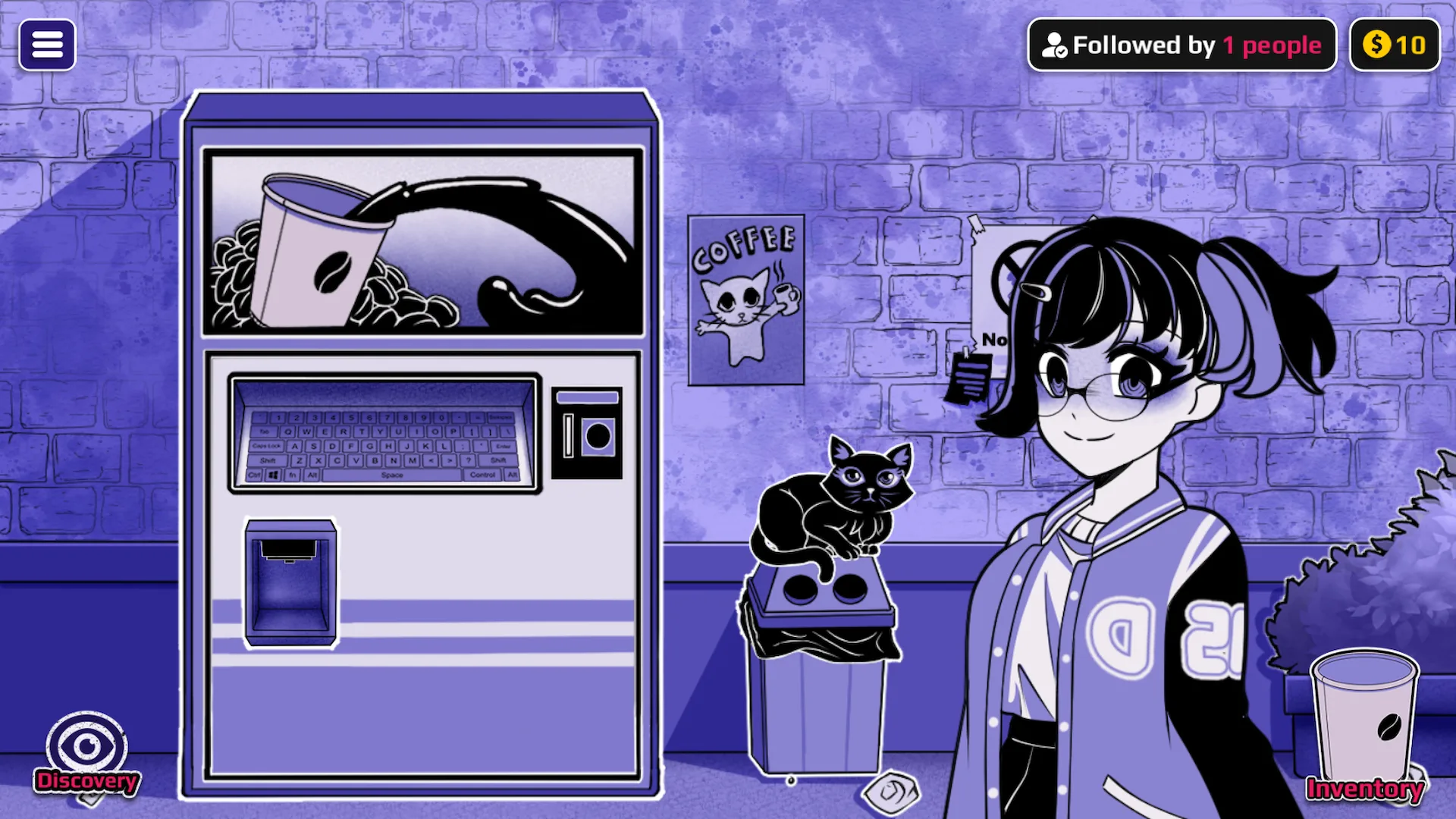
How to transform a character
First create and collect the input cup. A direct route uses one cup on one character; a plus sign means put both unused ingredient cups into the Mixer; an arrow means give the cups to the same character in that exact order. If a route needs a later trigger cup, finish the listed form sequence first.
Before you brew
- Search by the result name as well as the input. Some result names are not valid machine keywords.
- Keep a spare cup for each ingredient. Drinking or selling it means you must brew it again before using the Mixer.
- Choose one target and follow the arrows in order. Sequential routes are separate from Mixer recipes; do not combine an arrow route.
- Check the current form. If a previous drink changed it, use
cureto return that character to Normal before a fresh test. - Collect each finished cup. Confirm it is in Inventory before leaving the Coffee Machine.
Gallery count: the 77 routes below mean 54 direct transformations, 16 Mixer transformations, and 7 ordered sequences. The Gallery also includes the Normal/reset state, reached with cure; that reset is useful but is not counted as a transformation route.
THREE ROUTE TYPES
Type one word, collect one cup, and use it on the chosen character.
Create both ingredient cups, keep them unused, then combine them in the Mixer.
Use every cup on one character from left to right. Do not place these in the Mixer.
Evidence note: names and routes describe the v0.1 mapping. They do not promise a particular image, animation, scene, or result for both characters. Later builds may change available forms.
See the difference between a form and a recipe
A direct word creates a cup to use on a character; the character screen is the result check. A Mixer recipe instead uses two untouched cups and produces a third cup. The game screenshots below show both stages without suggesting that every listed route has its own captured image.
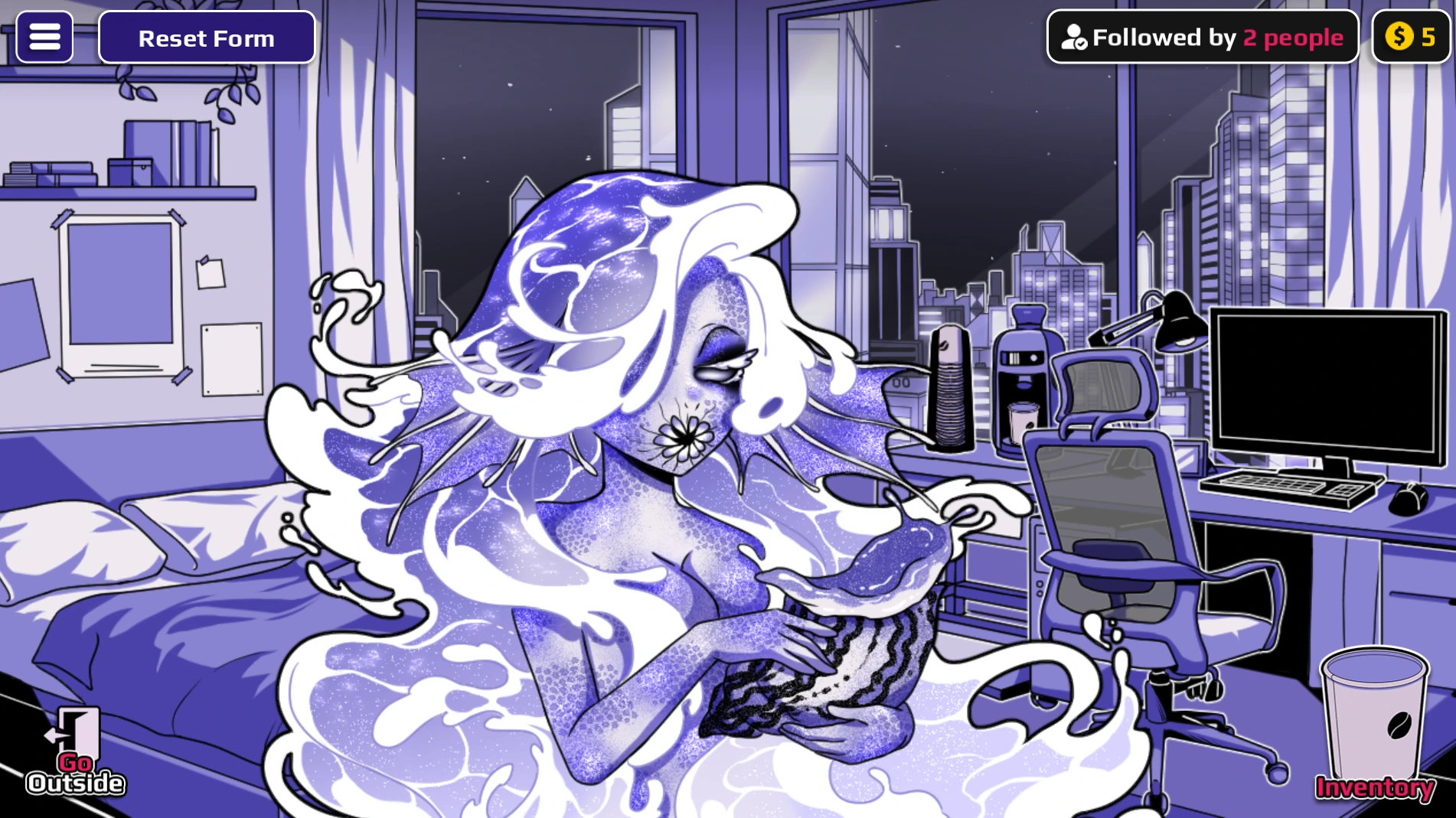
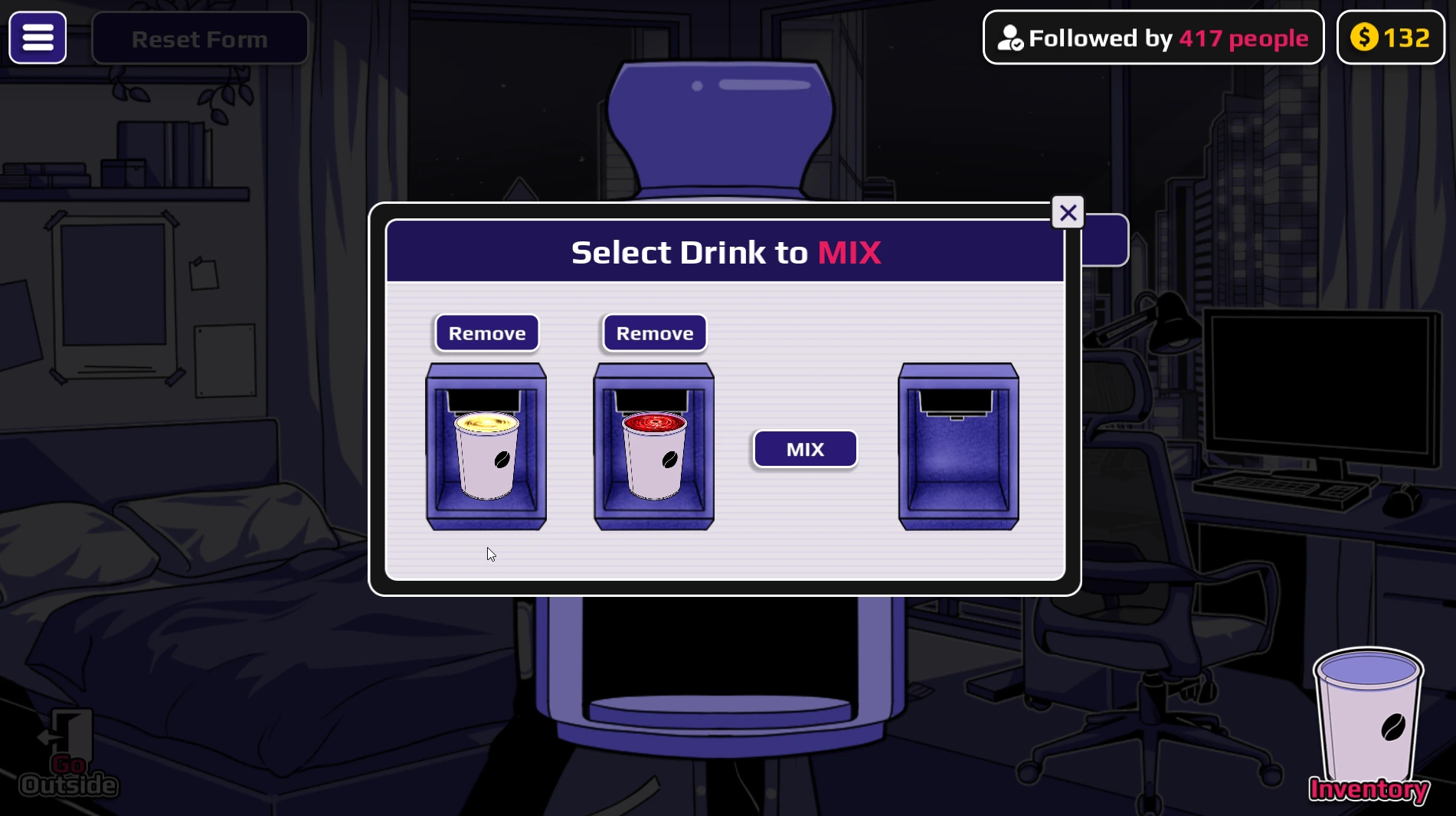
Try water on Horu for a direct visual comparison. For a compound result such as AngelDemon, type heaven and hell separately, collect both cups, and combine them before using the output. An arrow such as Ghost → Death bypasses the Mixer entirely.
77 of 77 routes shown
No route matches this search and filter. Try All, or check the Coffee Words list for event and utility inputs.
DIRECT WORD TRANSFORMATIONS
DEMON
ANGEL
VAMPIRE
MALE
CANCER
DISEASE
WATER
FIRE
VOID
GIANT
HUNGER
THIRST
FEAR
JUICE
PREGNANT
VINEGAR
PERFUME
DETERGENT
CHOCOLATE
SOAP
SHAMPOO
HUMAN
MILK
TREE
MONSTER
DRAGON
FLESH
HONEY
SOUP
CLOUD
GLASS
COW
ROBOT
MACHINE
VEHICLE
CAT
DOG
ROSE
TIGER
RABBIT
DOLPHIN
JELLYFISH
SPIDER
SCORPION
BEETLE
SALAMANDER
CHAMELEON
CORAL
NECTAR
MOSS
DESIRE
DOMINATION
EVOLUTION
EXHAUSTION
MIXER TRANSFORMATIONS
ZOMBIE
ANGELDEMON
WATER ELEMENTAL
FIRE ELEMENTAL
DEATH DRAGON
ICE DRAGON
WATER DRAGON
FIRE DRAGON
HELL ROBOT
HEAVENBOT
CORRUPTED DEMON
CORRUPTED ANGEL
CORRUPTED ANGELDEMON
CORRUPTED CAT
CORRUPTED DOG
CORRUPTED ZOMBIE
ORDERED TRANSFORMATION SEQUENCES
DEATH
GHOST
OIL
ACID
LAVA
BIG TREE
HUGE TREE
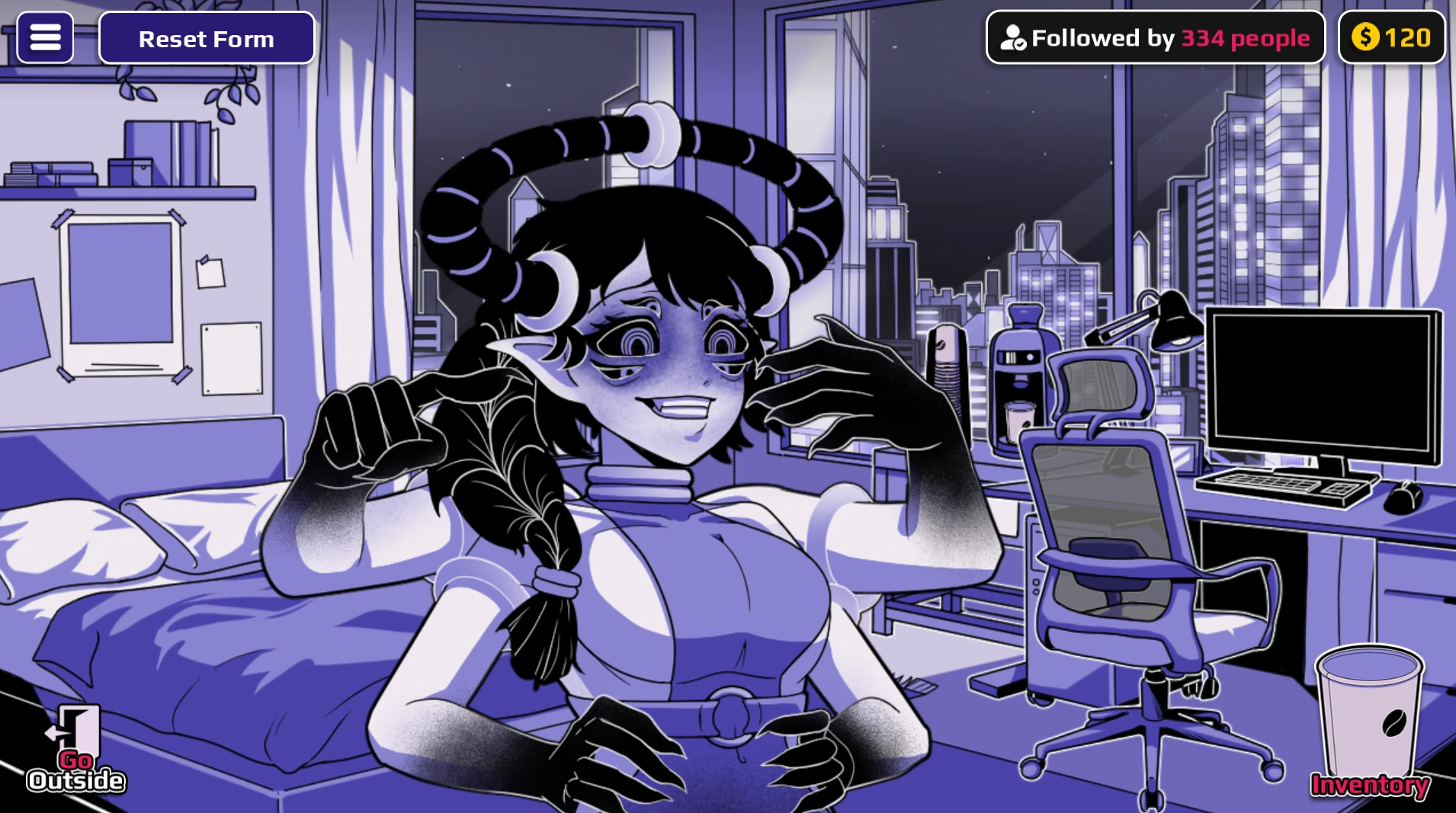
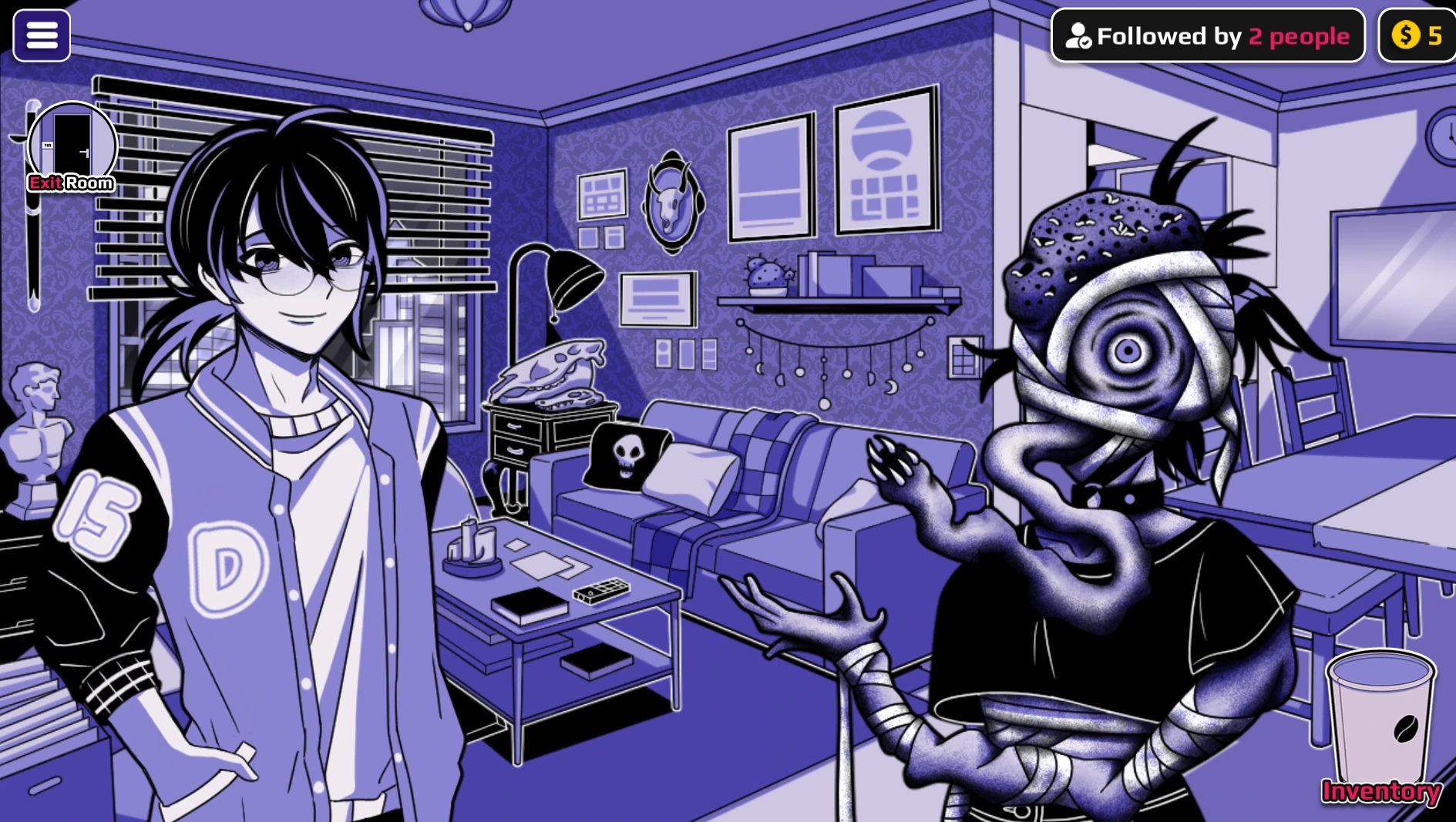
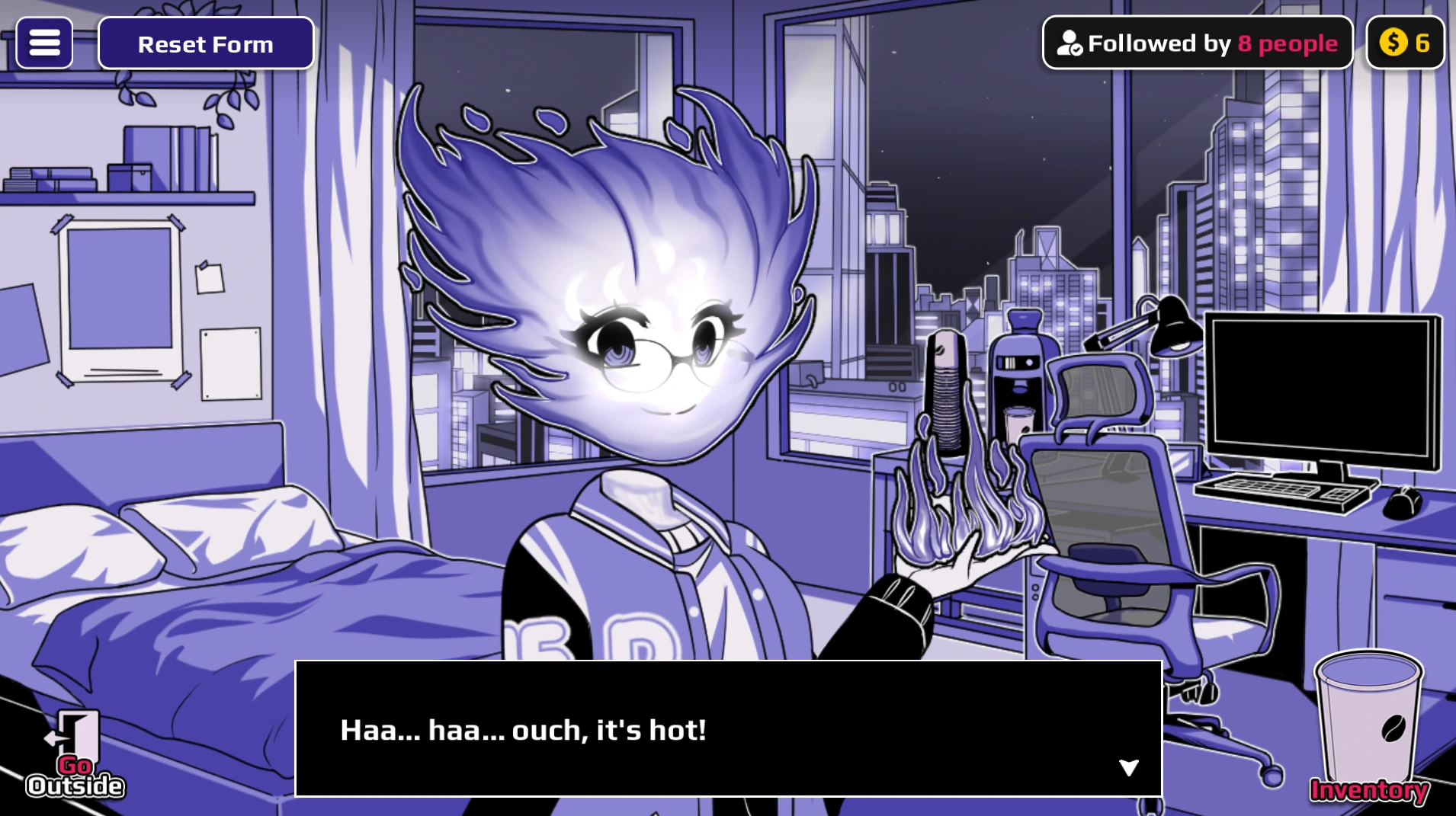
Compare eight real game states
The routes above are a searchable map; these screenshots provide visual checkpoints for selected results. Each image is a capture of the game itself. Most show Horu, while Disease shows the Neighbor, so compare only the character named in the caption. A picture of an end state is not evidence that the pictured character can follow every related recipe or scene route.
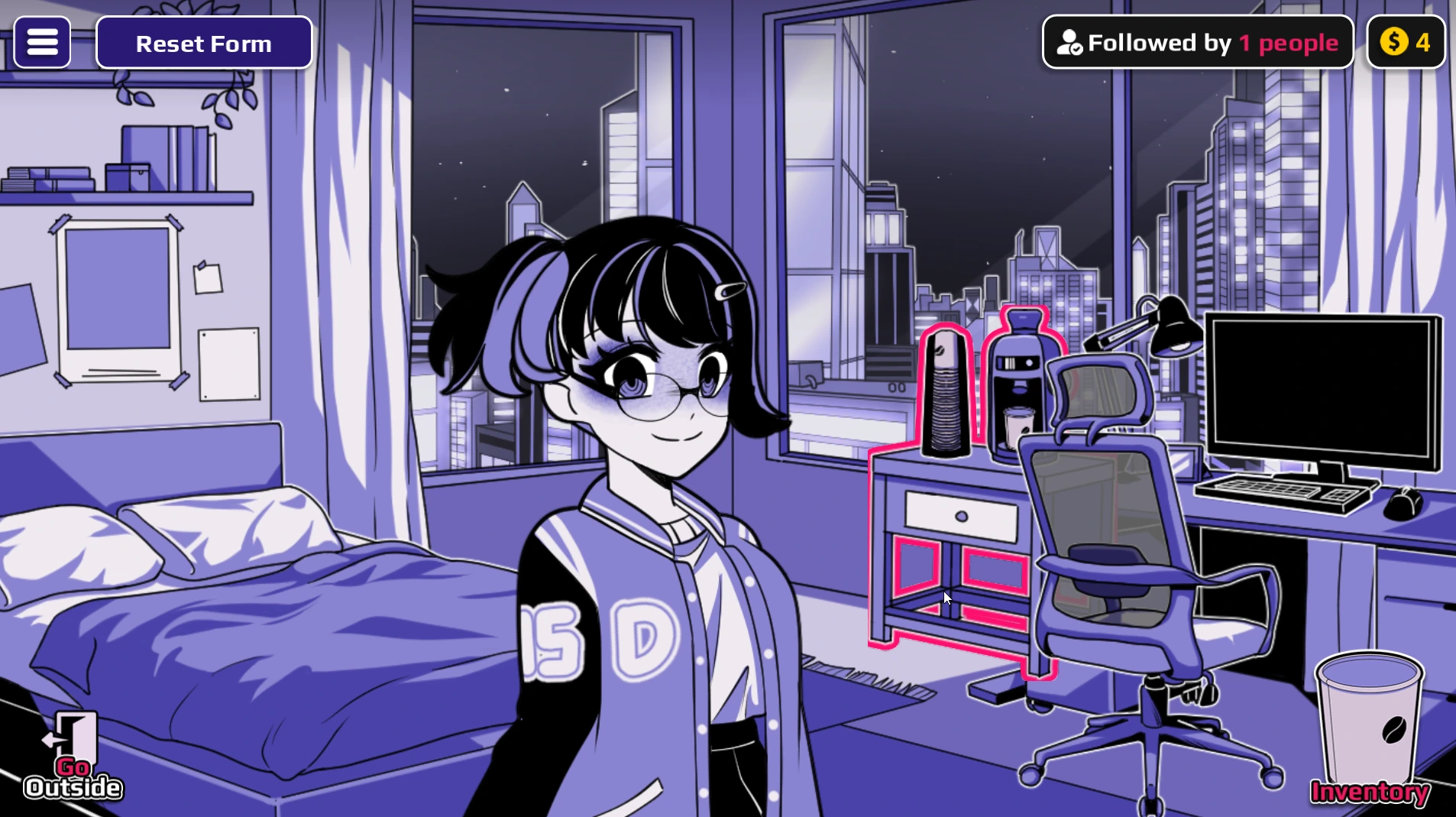
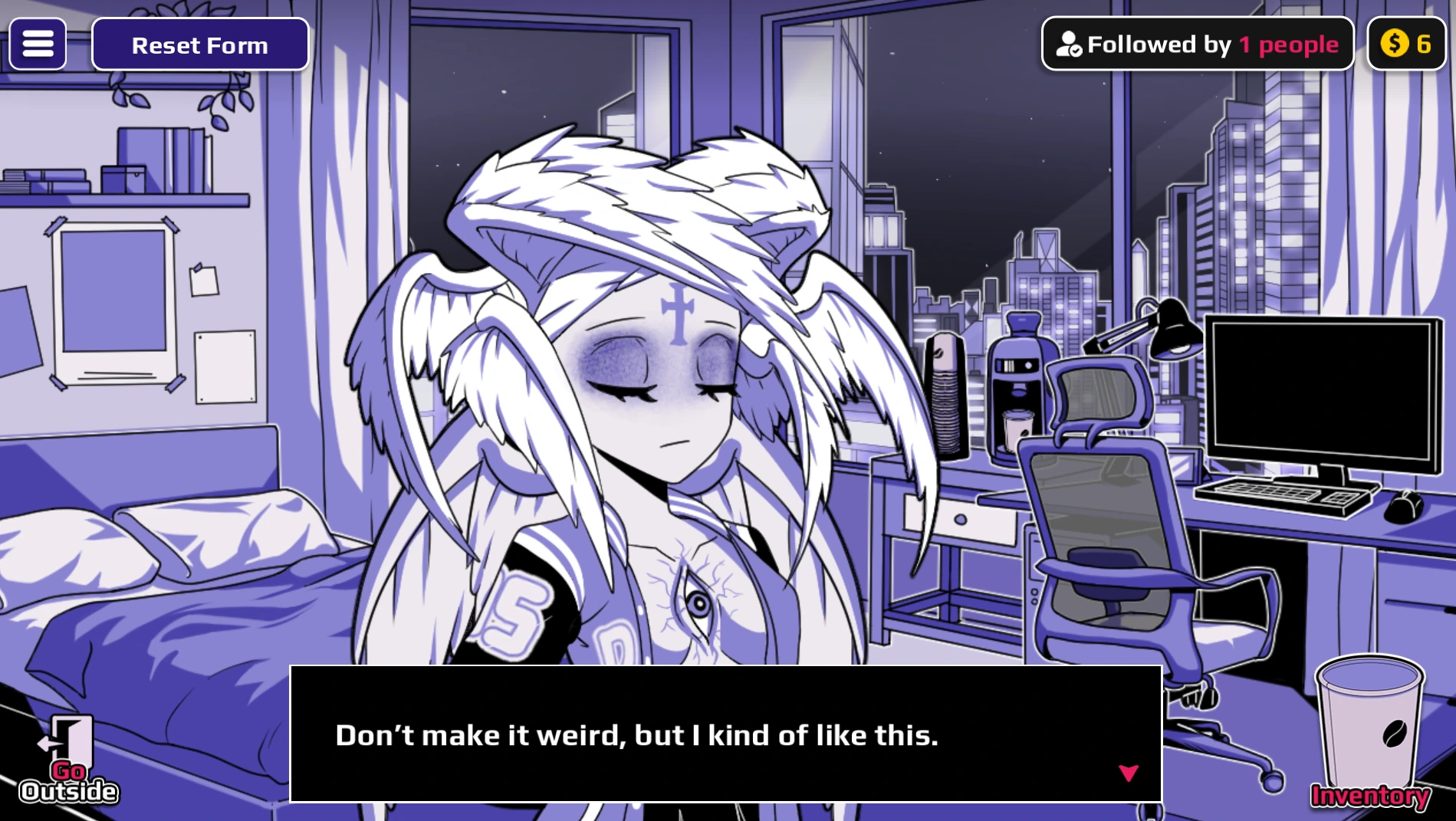
heaven; Angel names the form, so typing the result name is a common mistake.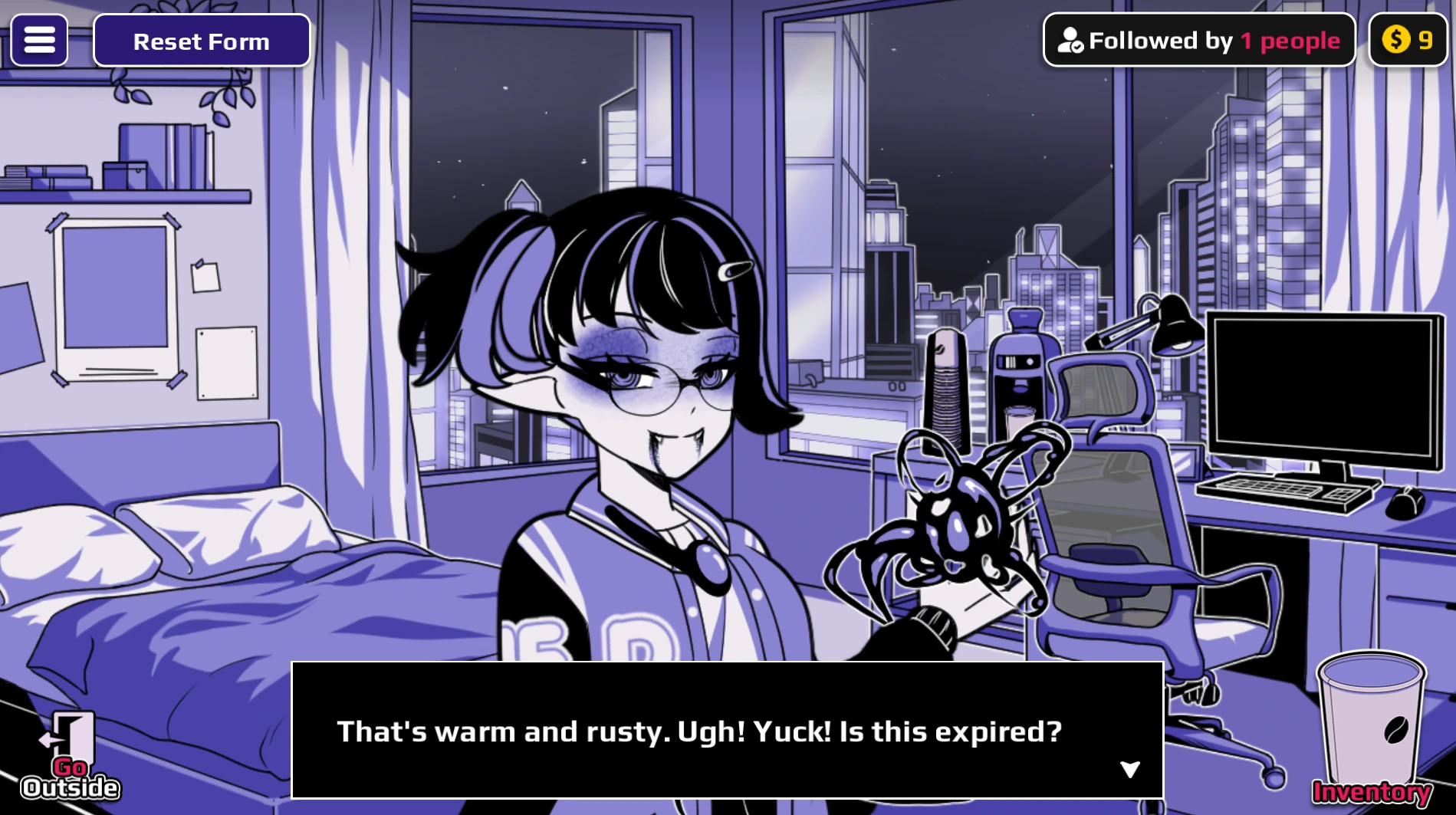
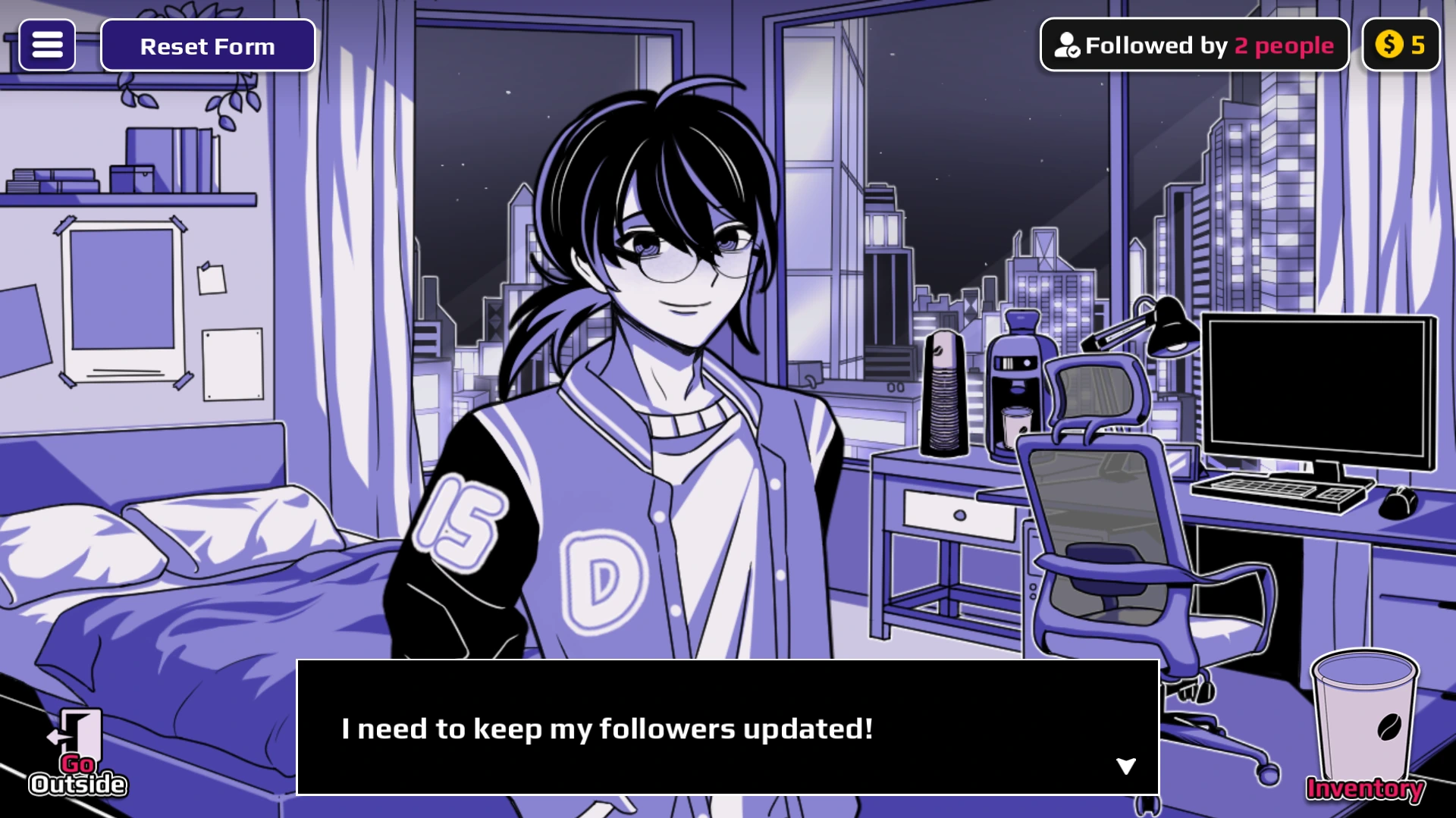
gender is the machine word, while Male is the displayed form name.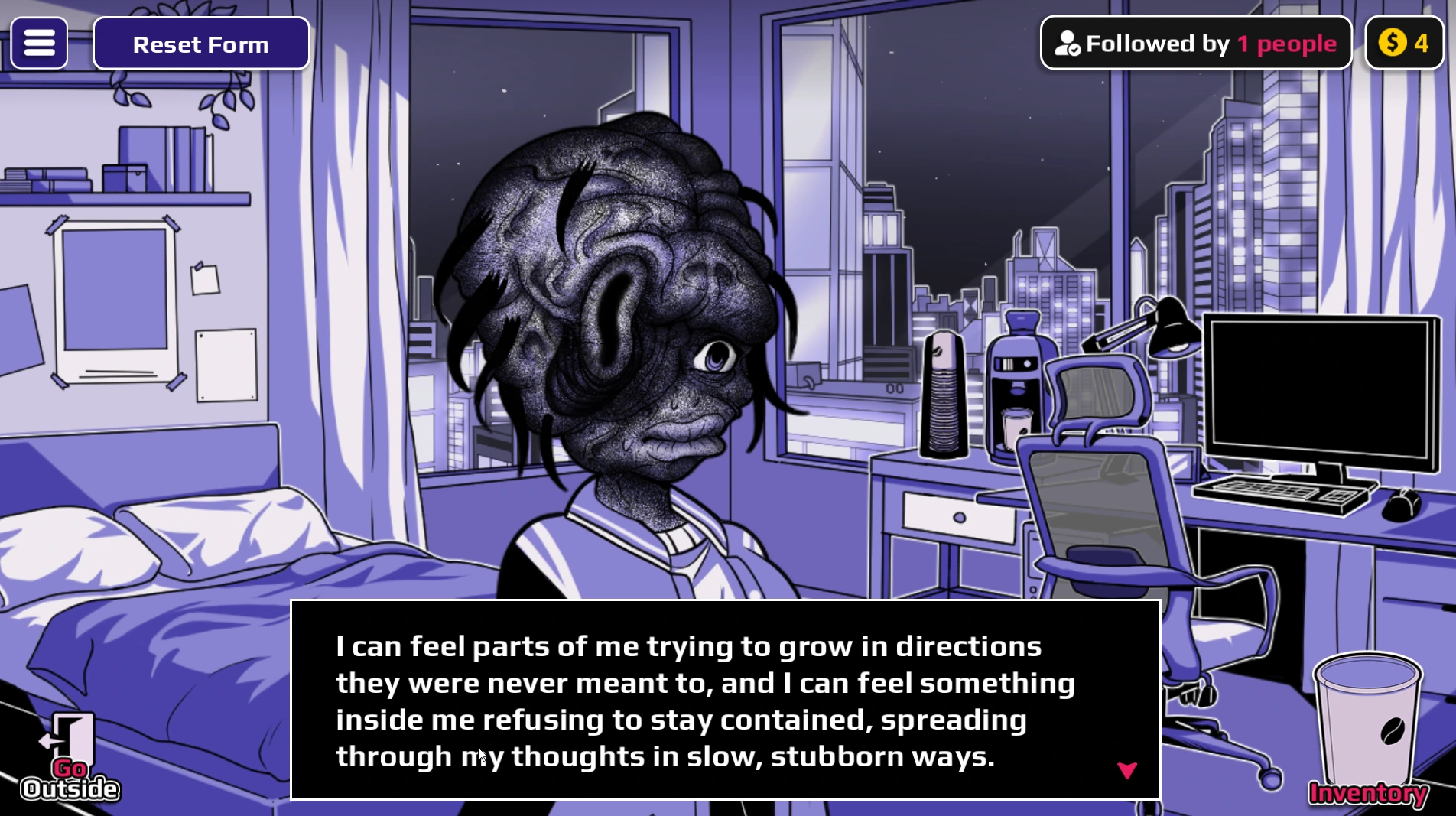
How to verify a form without misreading the route
- Check the target. A Horu capture cannot prove a Neighbor appearance. The receiver of the cup is part of your test record.
- Separate an input from its label. Heaven produces Angel, Hell produces Demon, Blood produces Vampire, and Gender produces Male in the mapped examples. Search the result name, then type the input shown in its card.
- Watch the character after use. A completed cup in the dispenser or Inventory shows that you made a cup. The changed character screen is the form check.
- Reset between comparisons. Apply
cureto the tested character when an earlier state could affect what you see. - Keep recipe cups untouched. Fire can be used directly, but Fire Elemental requires a Fire cup and an Immortality cup in the Mixer. A direct Fire screenshot cannot stand in for a Fire Elemental result.
| IF YOU WANT TO SEE… | TYPE / PREPARE | USE THE RESULT |
|---|---|---|
| Angel or Demon | heaven or hell | One direct cup on the chosen character. |
| Vampire | blood | One direct cup; keep track of whether Horu or the Neighbor drinks it. |
| Fire versus Fire Elemental | fire alone versus Fire + Immortality | Direct Fire uses one cup. Fire Elemental is a two-cup Mixer route. |
| AngelDemon | Heaven + Hell | Combine unused cups in the Mixer, collect its output, then use that cup. |
| Lava sequence | Immortality → Lava | Give both cups to one character in order. Do not place them in the Mixer. |
These visual checks are deliberately a sample. The full 77-item finder remains the route list, including entries without a captured screenshot. When a result looks different from a screenshot, first check the receiver, order, recipe method, and game build. The official developer's development log is the source for release changes.
Names that are easy to mistake for inputs
| RESULT OR WORD | WORKING ROUTE | WHY IT MATTERS |
|---|---|---|
| Normal | Use a cure cup on the character. | Cure resets the character; it is not one of the 77 transformation routes. |
| Pregnant | Type life, then use that cup. | pregnant is the result name, not the machine input. |
| AngelDemon | Make heaven and hell cups, then combine them in the Mixer. | The combined form name is not a direct keyword. |
| Lava | Give immortality, then lava, to the same character. | This is an ordered sequence; a direct Lava cup or a Mixer does not reproduce the mapped route. |
| Ghost | Give ghost, then death, to the same character. | Keep the order and target consistent. |
WHY A TRANSFORMATION FAILS
| PROBLEM | WHAT TO CHECK |
|---|---|
| The final form name is rejected | Many compound results cannot be typed directly. Make elementals, corrupted forms and dragon variants with their listed recipes. |
| The Mixer gives no useful result | Both ingredient cups must be unused and stored in Inventory before they enter the Mixer. |
| An arrow route stops early | Give every cup to the same character and preserve the displayed order. Do not mix an arrow route. |
| The character is already transformed | Create a Cure cup to return the selected character to Normal, then retest from the beginning. |
| The image differs from an expectation | Horu and the Neighbor can have different results, and v0.1 may not expose every gallery slot. |
WHAT TO USE NEXT
Use the coffee word finder for event and utility inputs, the fusion recipe guide for a recipe-only view, or the beginner route if you have not collected your first cup.