Quick answer
Start a New Game → leave the apartment → take the left staircase to the Coffee Machine → open its keyboard → enter a word → collect the cup → check Inventory → return home and open Computer → Shop.
The three screens you need first
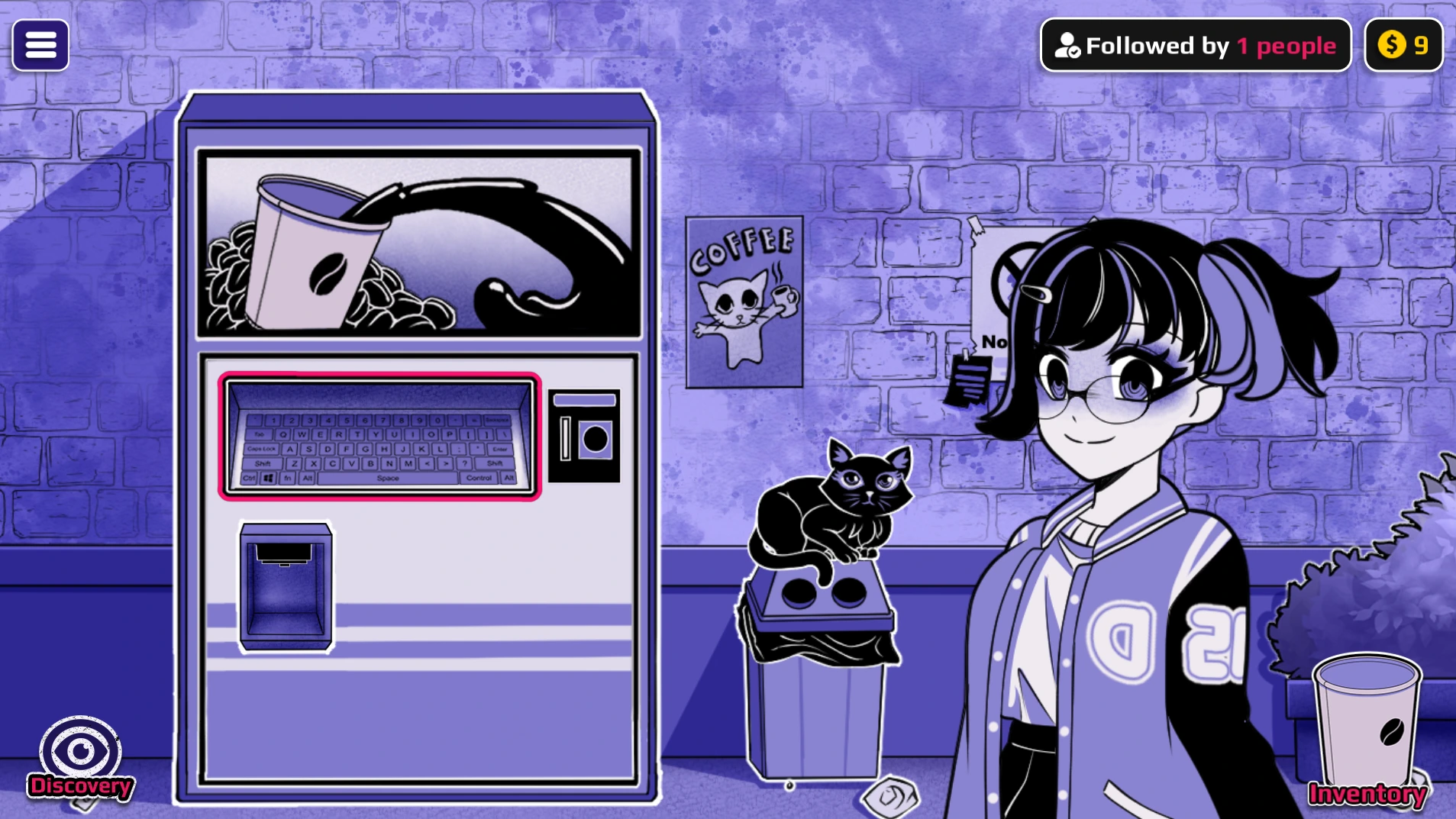
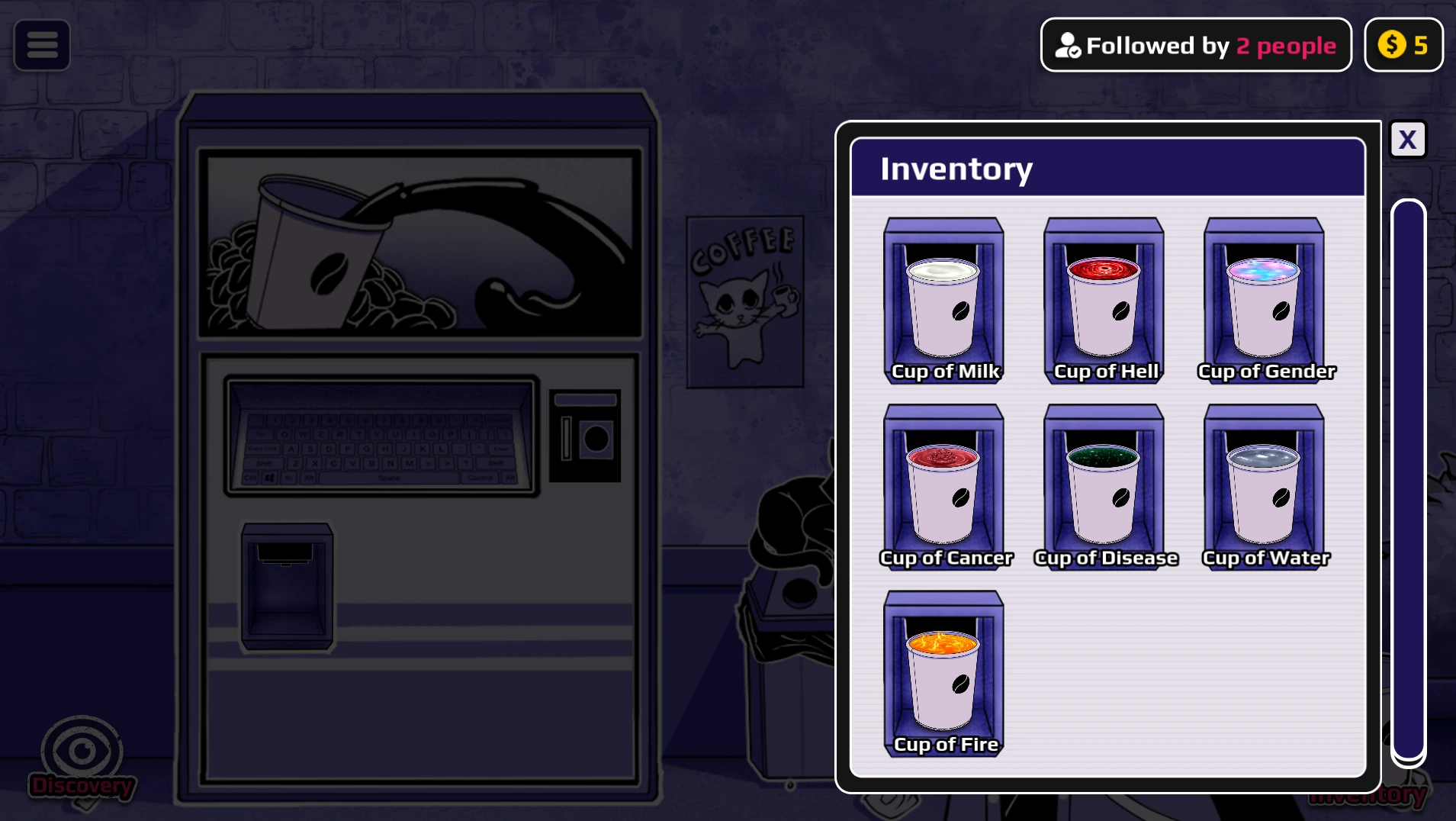
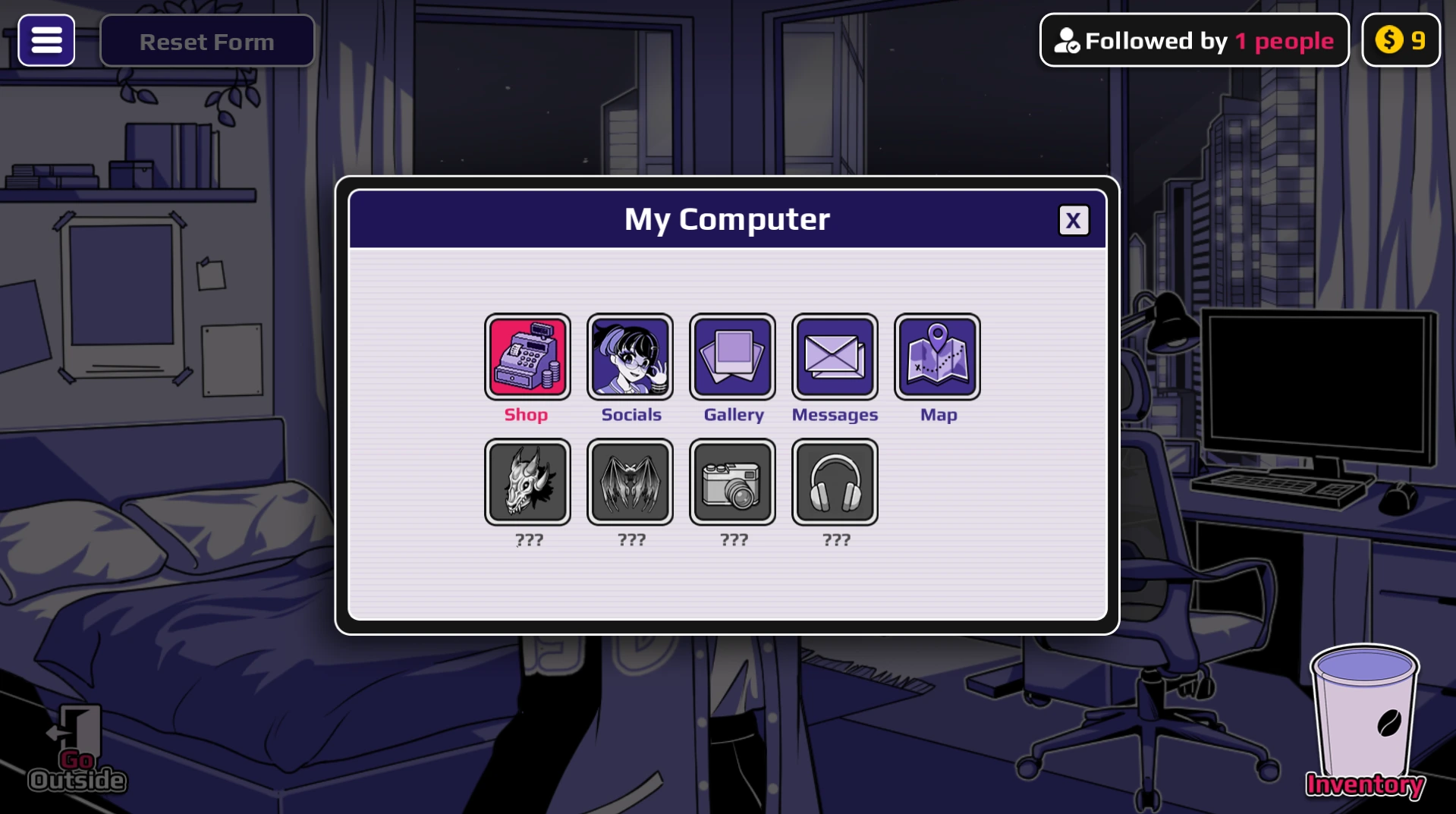
Use these in-game views to locate the keyboard, confirm that the cup is stored, and find the Shop. You do not need a transformation or scene route to learn this basic loop.
Your first cup, step by step
- Start a New Game. Let the opening finish and check Horu's room before leaving. The starting balance is limited, so use the first few coins to learn the loop.
- Leave the apartment. The Coffee Machine is outside Horu's room. Do not spend time searching the bedroom for it.
- Use the left staircase. Follow the corridor and take the stairs toward the liminal floor between the 12th and 13th floors.
- Open the machine keyboard. Select the keyboard panel in the center of the Coffee Machine. The full word input appears after the panel opens.
- Enter a known starter word. Type
milkand submit it. Watch the lower dispenser for the finished cup; the cup is not collected automatically. - Collect the cup. Click the dispenser result and confirm the new cup appears in Inventory. A created cup becomes an item; it is not used automatically.
- Choose what to do with it. You can keep the cup, use it on Horu, carry it to an available neighbour, or prepare to sell it. Keeping the first cup is the safest way to learn the rest of the interface.
- Return home and open the Computer. Use Computer → Shop to reach the selling system. Select a stored drink, choose a listing price, and observe how the shop responds.
Choose one job for the cup
A cup stays in Inventory until you use it. Drinking, giving, selling, or mixing that cup takes it out of the other routes, so brew another copy if you want to compare results.
| YOUR GOAL | NEXT ACTION | WHERE TO CONTINUE |
|---|---|---|
| See what it does to Horu | Use the collected cup on Horu. Note the visible result before trying another word. | Transformation routes |
| Test a Neighbor | Carry the stored cup to an available room. In this browser build, room 702 is the mapped Neighbor interaction. | Cup destinations |
| Recover the coin | Keep the cup unused, return to the apartment, and list it through Computer → Shop. Wait for a sale before spending the reserve. | Money guide |
| Make a combined result | Keep two ingredient cups untouched and take them to the Mixer; do this after learning the first-cup loop. | Fusion recipes |
If your first attempt stops
- No input box? Select the keyboard panel in the centre of the Coffee Machine.
- A word is rejected? Try the mapped
milkexample, then use the word list for other inputs. A result name such as AngelDemon is not necessarily a machine keyword. - No cup in Inventory? Go back to the machine and collect the drink from the dispenser before leaving.
- No sale yet? Check that the cup was collected and not consumed, then use Computer → Shop. A listing may take time to sell.
Version note: Anomalous Coffee Machine 3 is still in development. Available rooms, words, prices, and outcomes can change between builds. This guide describes the public browser demo flow and avoids claiming unverified results.
What to explore next
Once the first loop makes sense, alternate between three goals: test new words, learn which cups you want to keep, and explore where stored cups can be used. The game rewards comparison. If something does not happen immediately, check whether the cup is still in Inventory and whether you are in the correct room.
For a fuller explanation of Inventory, neighbours, and the Shop, continue to the ACM3 gameplay guide. If the player stays blank or never finishes loading, use the browser troubleshooting guide.
PLAY ACM3 ONLINE →