Quick answer
New Game → leave the apartment → left staircase → Coffee Machine keyboard → type milk → collect the cup → check Inventory → choose whether to use it or list it through Computer → Shop. From there, pick one form route at a time.
Recognize the key screens
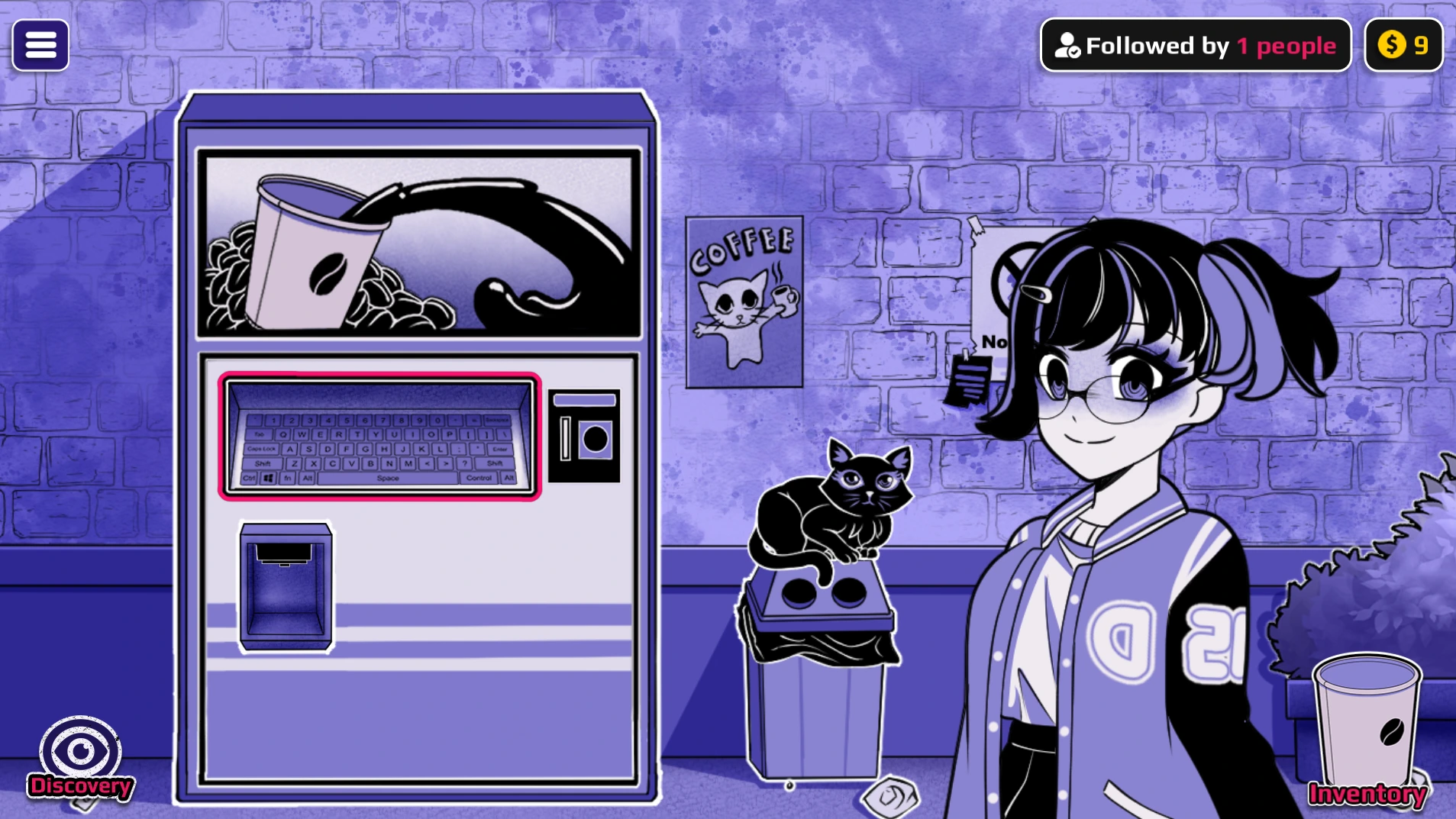
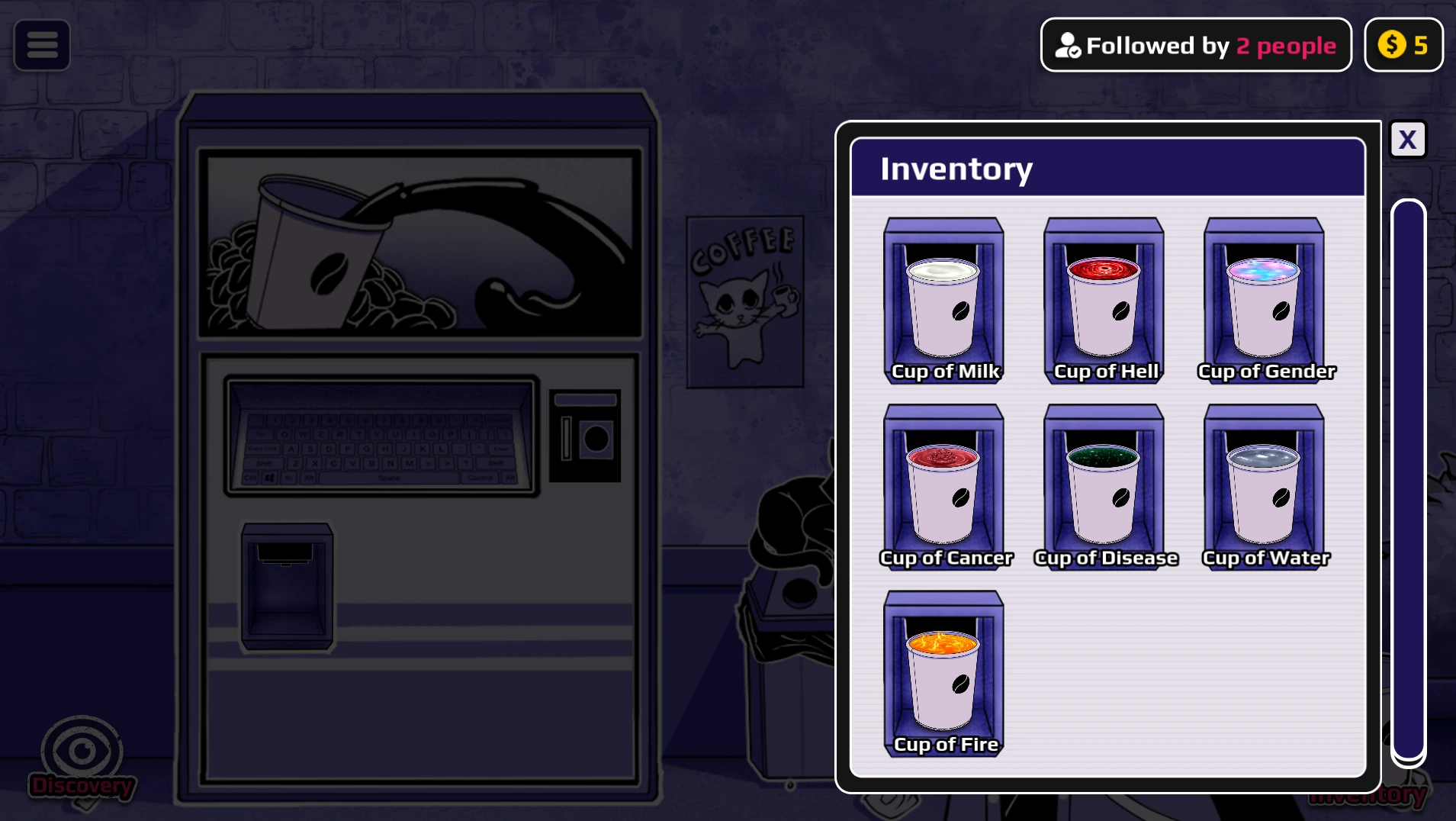
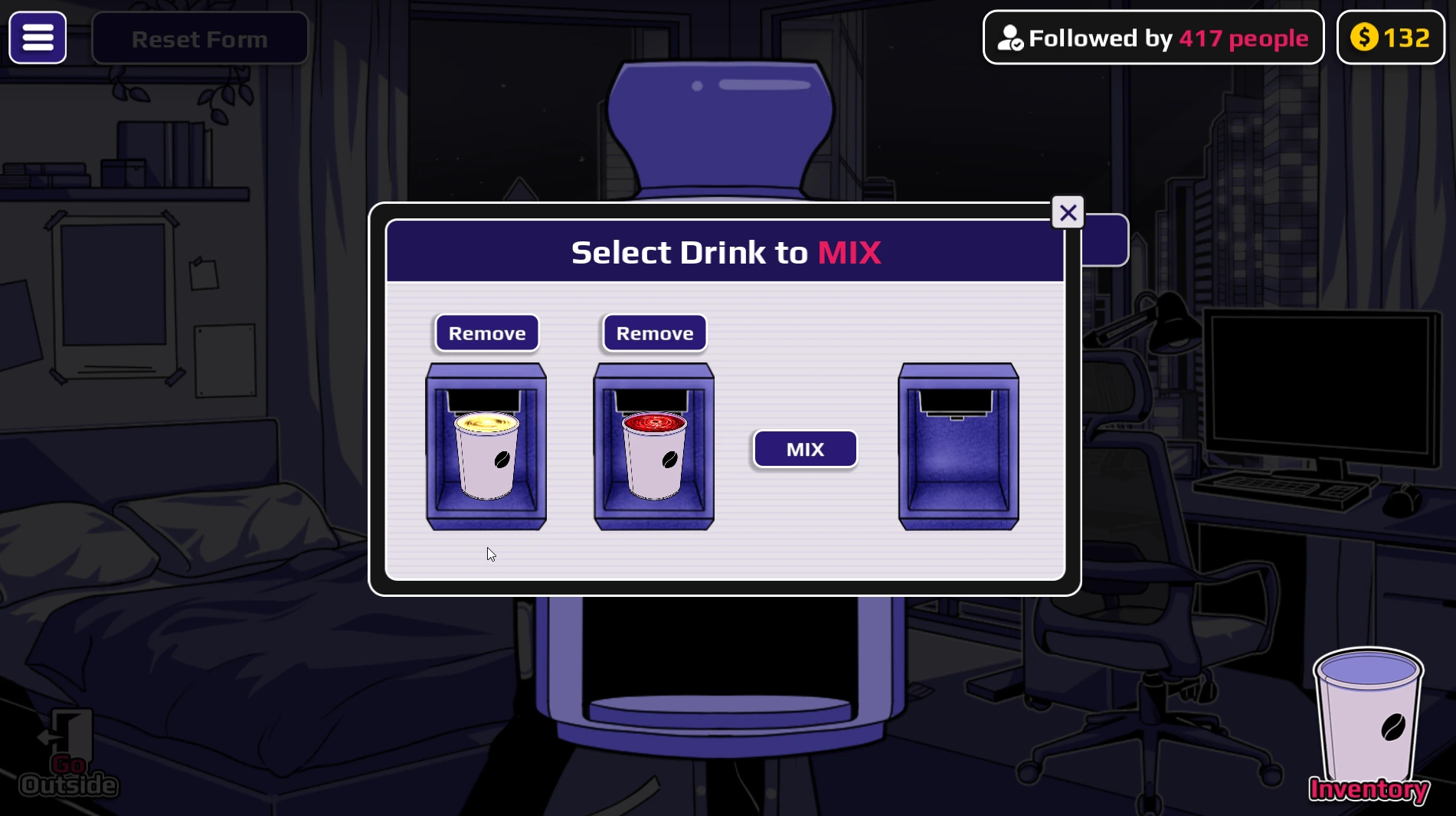
Use the keyboard for a direct word, Inventory to confirm collection, and the room Mixer only when a recipe shows a plus sign. These are actual game screens, so you can compare the interface while following the six phases below.
Choose the phase you need
| PHASE | GOAL | FINISH WHEN |
|---|---|---|
| 1 · First cup | Learn machine input and collection. | The cup is visible in Inventory. |
| 2 · Shop | Get money for repeated experiments. | A spare cup is listed and you still have a coin for another brew. |
| 3 · Direct forms | Test single-word forms on one character. | You can distinguish the input word from the form name. |
| 4 · Mixer | Combine two untouched ingredient cups. | You collect and use the resulting mixed cup. |
| 5 · Ordered drinks | Give cups to one character in exact order. | The final form appears without using the Mixer. |
| 6 · Events and scenes | Use the relevant route guide for the desired outcome. | You have checked the build, target, cup order, and trigger action. |
Phase 1 — Make and collect the first cup
- Start a New Game. Check the available money and keep some for a second experiment.
- Leave the apartment. Take the staircase on the left side of the corridor to reach the Coffee Machine.
- Open the keyboard panel. Select the centre of the machine to reveal the word input.
- Type
milk. This mapped starter input is easier to compare with the word reference than a random guess. - Collect the cup. Take the finished drink from the dispenser. Confirm it appears in Inventory before walking away.
- Choose its use. Drink it with Horu, give it to an available Neighbor, keep it for later, or sell it. Brew another copy when you want to compare two choices.
The Beginner Guide has a slower first-session route and fixes for a missing keyboard or cup.
Phase 2 — Fund the next experiments
Return to the apartment, open Computer → Shop, and list an unused cup from Inventory. Watch whether it sells before making a stronger price claim. Keep enough money to brew again; a high listing price can delay the next experiment.
One cup has one job: a drink you sell is no longer available for a transformation or recipe. Keep recipe ingredients and scene cups out of the Shop. The Money Guide explains the repeatable selling loop.
Phase 3 — Try a direct form
Search a word in the Transformations guide, brew the input, collect the cup, and use it on the selected character. Examples in the v0.1 mapping include hell → Demon, heaven → Angel, and life → Pregnant. The result name is not always a typeable keyword.
- Choose Horu or the available Neighbor before using the cup.
- Observe the form and record which character received the drink.
- Use
cureon that character when you want to start a new form trial from Normal.
A named cup does not guarantee a direct visible form. For example, Death and Immortality are also useful as ingredients or sequence steps in this reference.
Phase 4 — Make a Mixer result
A plus sign means two separate, unused cups go into the Mixer. Keep both ingredients in Inventory until they are combined; the mixed output is a new cup that still must be collected and used.
| EXAMPLE | WHAT TO DO |
|---|---|
Heaven + Hell → AngelDemon | Brew Heaven and Hell separately, combine them in the Mixer, collect the AngelDemon cup, then use it on your chosen character. |
Death + Death → Zombie | Prepare two Death cups. Combine them in the Mixer rather than giving them sequentially to a character. |
Ice + Dragon → Ice Dragon | Keep the two ingredient cups unused until the Mixer step. |
Use the Fusion Recipes guide to search all mapped Mixer combinations before spending coins.
Phase 5 — Follow an ordered drink route
An arrow means the same character drinks cups in the written order. Do not put these cups in the Mixer.
| EXAMPLE | EXACT ORDER |
|---|---|
| Big Tree, then Huge Tree | Tree → Water produces Big Tree; give Water again to continue to Huge Tree. |
| Ghost | Ghost → Death on one character. |
| Lava | Immortality → Lava on one character. A direct Lava cup is a different test. |
If the result does not appear, check the target and order before brewing more cups. The form guide explains result names that are easy to confuse with direct inputs.
Phase 6 — Choose a later event or scene
Later outcomes depend on the cup, character state, and build. The 18+ scene guide gives documented v0.1 examples in which a form is prepared first and a separate Sex cup is used on the Neighbor. A form alone does not promise a scene. The Endings guide groups other reported outcomes; check the exact route and its evidence before treating it as a confirmed unlock.
Build scope: this walkthrough describes the browser v0.1 route reference. HoruBrain has since posted a v0.2 development update with more content. Words, scenes, and available Neighbor interactions can differ across releases.
Common reasons a route stops working
- Finished cup left behind: return to the dispenser and collect it into Inventory.
- Result name entered as a word: search the result in the word or form guide; AngelDemon is a Mixer output and Pregnant comes from Life.
- Ingredient sold or drunk: brew another unused copy for the Mixer.
- Plus and arrow confused: plus uses the Mixer; arrow means ordered drinks on one character.
- Character state differs: use Cure if the route calls for a fresh Normal state.
- Instructions from another release: check the guide scope and current game version.
Continue with the exact reference
Search a word · Find a form · Check a recipe · Make money · Fix the browser player