Quick answer
Choose a word by what you want to do: make a direct form, prepare a Mixer recipe, continue an ordered drink sequence, or trigger an event. After typing, collect the finished cup into Inventory; making a cup does not use it automatically. Then give it to the intended character or take ingredients to the Mixer.
Find the input, then verify the cup
The word finder is a route reference; the actual word is entered on the Coffee Machine keyboard. These game screens show the two checks most often missed by new players.
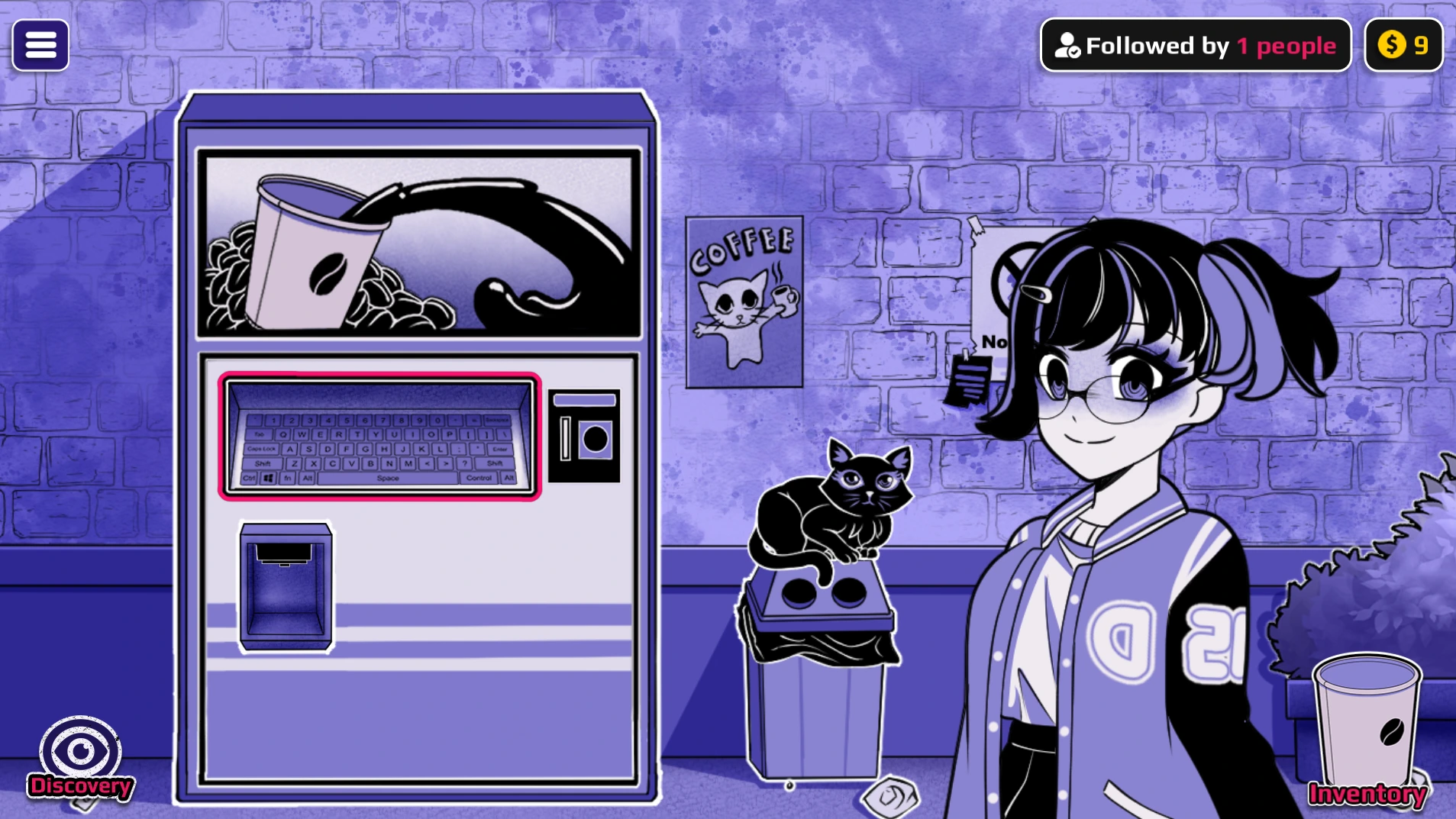
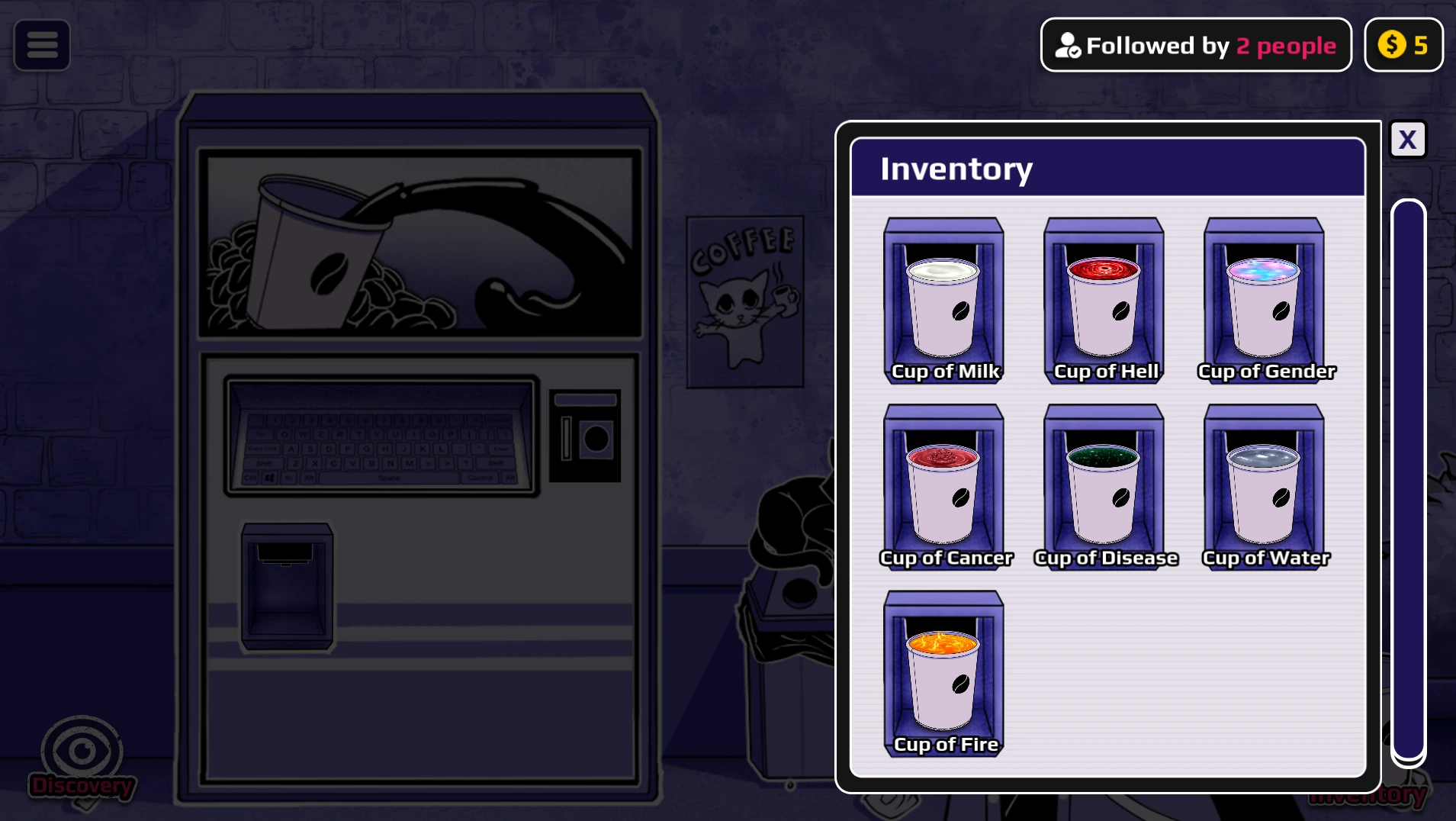
If the cup is absent from Inventory, return to the dispenser before following a form, recipe, or Shop instruction. The list below describes the intended use of a cup, not an automatic effect when its name is typed.
Read the result before you spend another coin
| WHAT YOU SEE | WHAT IT MEANS | EXAMPLE |
|---|---|---|
| A named cup appears | The machine accepted an input. It does not guarantee that drinking it changes a character; some cups are recipe ingredients or event triggers. | Death and Immortality are ingredients/routes, not direct visible forms in the mapped v0.1 tests. |
| “Keyword not found” | You entered a result name that must be produced another way. Look up the result in the transformation finder, then follow its recipe. | AngelDemon is made by mixing Heaven + Hell. |
| “Drink currently unavailable” | The form name is not the input word. Search the result name to find its actual trigger. | Pregnant comes from using a Life cup. |
| No visible form change | The cup may need a sequence, a second ingredient, or a different target. Check the route before brewing more cups. | For the visible Lava route, use Immortality then Lava on the same character; do not Mixer them. |
Collection matters: click the cup after it finishes and confirm it appears in Inventory before leaving the machine. A cup left in the dispenser is not an inventory item.
Search the word list
cureReturns the selected character to Normal.See reset screenhellDemon form.View game imageheavenAngel form.View game imagebloodVampire form.View game imagegenderMale form.View game imagecancerCancer form.View game imagediseaseDisease form.View Neighbor imagewaterWater form; also an ingredient.View Water formfireFire form; also an ingredient.View game imagevoidVoid form.growthGiant form.hungerHunger form.thirstThirst form.fearFear form.juiceJuice form.lifeProduces Pregnant; type Life, not Pregnant.vinegarVinegar form.perfumePerfume form.detergentDetergent form.chocolateChocolate form.soapSoap form.shampooShampoo form.humanHuman form.milkMilk form and a simple first test.treeTree form; Water advances its sequence.monsterMonster form.dragonDragon form and recipe ingredient.fleshFlesh form.honeyHoney form.soupSoup form.cloudCloud form.glassGlass form.cowCow form.robotRobot form and recipe ingredient.machineMachine form.vehicleVehicle form.catCat form and corrupted-form ingredient.dogDog form and corrupted-form ingredient.roseRose form.tigerTiger form.rabbitRabbit form.dolphinDolphin form.jellyfishJellyfish form.spiderSpider form.scorpionScorpion form.beetleBeetle form.salamanderSalamander form.chameleonChameleon form.coralCoral form.nectarNectar form.mossMoss form.desireDesire form.dominationDomination form.evolutionEvolution form.exhaustionExhaustion form.sexAdult scene trigger; a cup alone is not enough.laxativeBathroom event.acidDanger event and sequence ingredient.antimatterDanger event.blackholeDanger event; enter as one word.explosiveDanger event.knowledgeDanger event.deathMixer and exact-order ingredient.immortalityElemental and special-form ingredient.ghostGive Ghost, then Death, to one character.oilUse after Immortality.lavaUse after Immortality.iceMix with Dragon for Ice Dragon.corruptionIngredient for corrupted forms.coffeeRecognized baseline cup; exact form unconfirmed.
No words match this search and filter. Try All, or check the transformation finder for compound result names and recipes.
Evidence rule: this v0.1 reference combines known gameplay mappings and public results. Entries without a first-hand result description are routes to retest, not promises about artwork or scenes. The game is in development.
Three searches, three different next actions
- Need a reset? Search
cure, brew and collect it, then use it on the character you want back in Normal form. - Need AngelDemon? Open the AngelDemon recipe, then brew
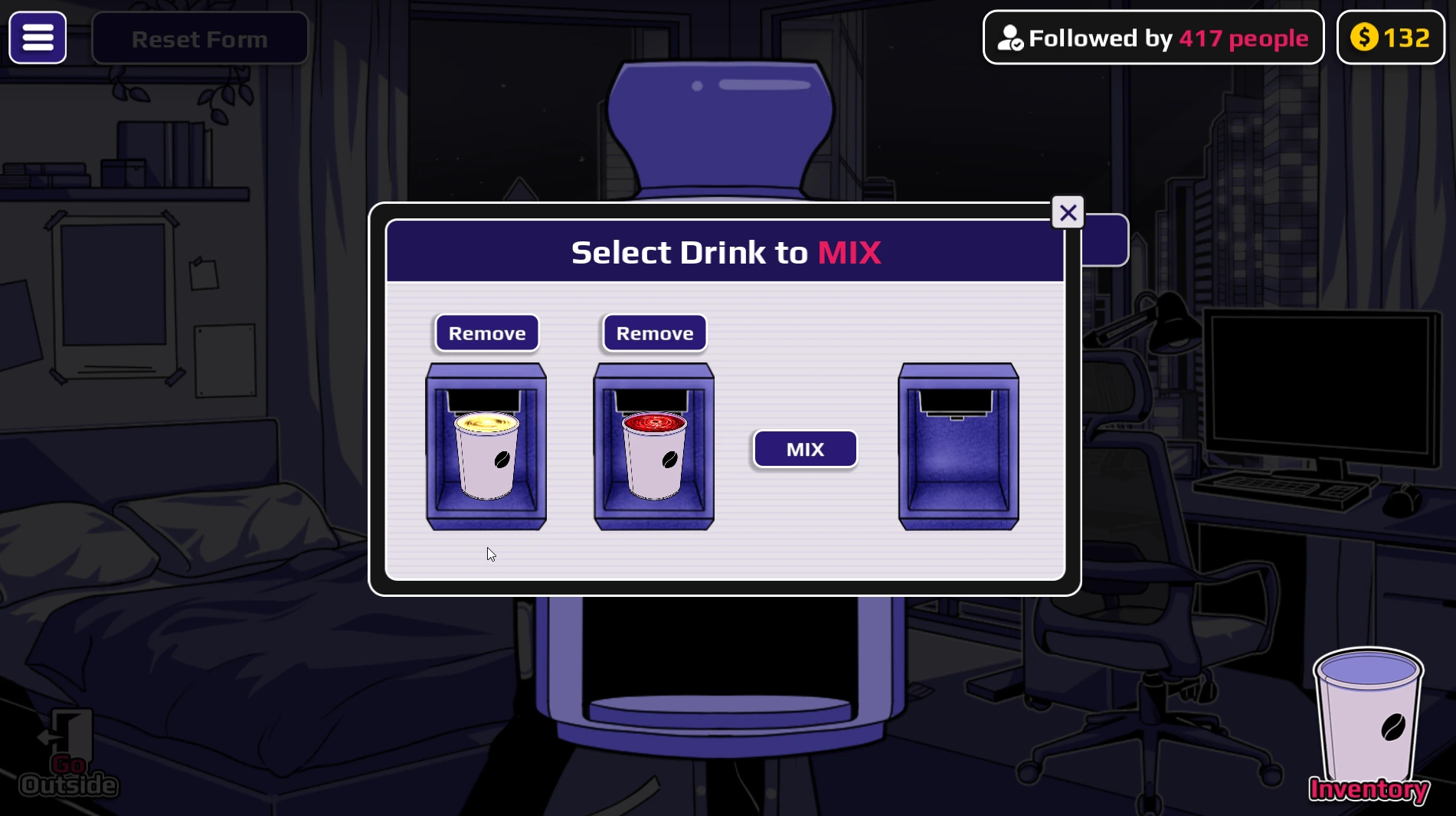
heavenandhellas separate cups. Keep both unused and combine them in the room Mixer. - Need the Ghost sequence? Brew
ghostanddeath, then give both to the same character in arrow order. Mixing them is a different action.
Eight real results: what to type and what to check
A word search is most useful when it tells you what to do after the machine accepts the word. These game captures show the target after a cup has been used, or the reset control after an experiment. They are examples of visible states, not a promise that every word in the finder has a unique animation. The captions name the input, the expected next action, and the observation that matters.
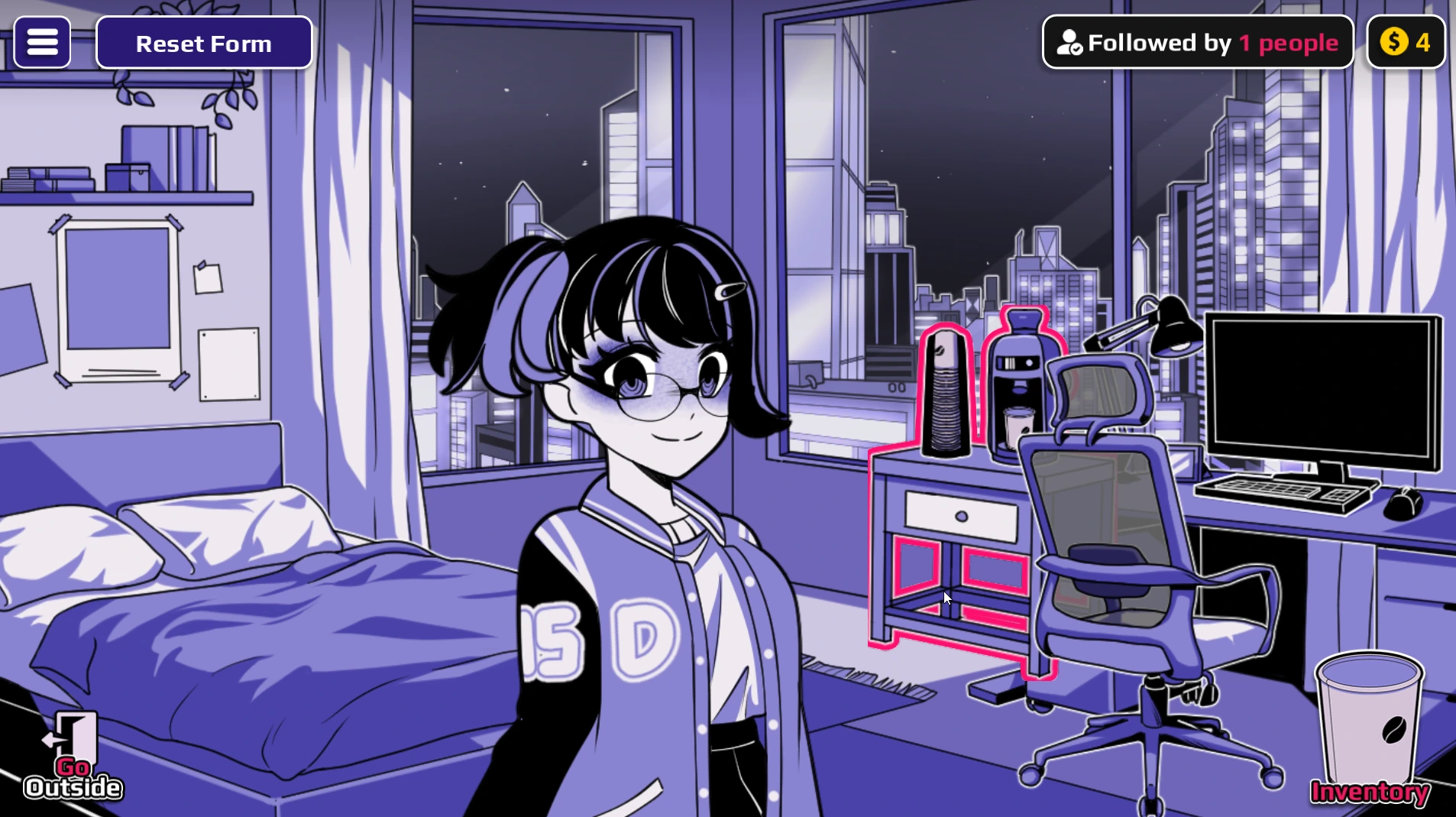
cure, take the cup, and use it on the character whose previous form you want to clear. A reset makes later comparisons easier.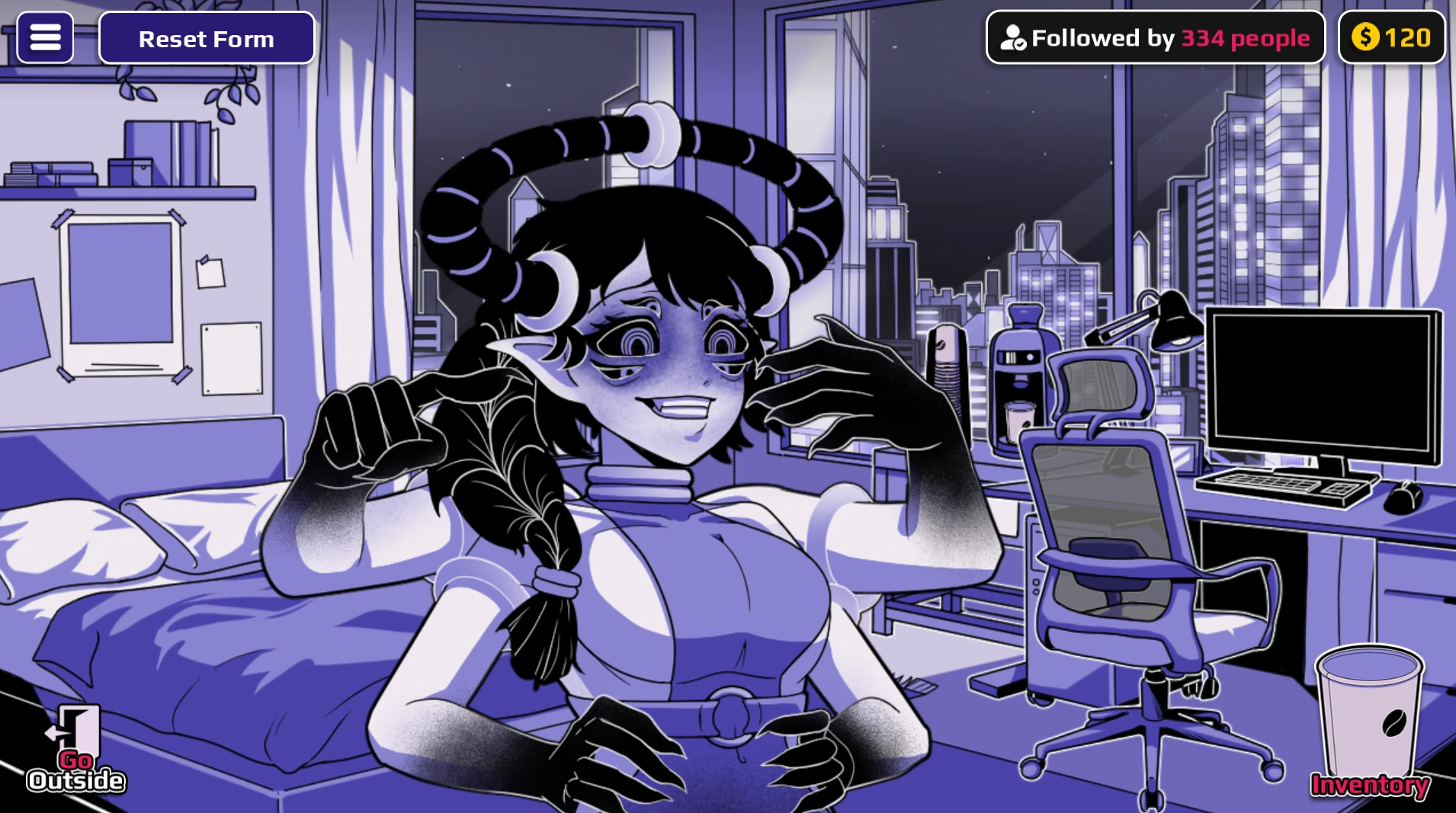
hell cup is used on Horu here. The horns are a result check; simply seeing Hell in Inventory would not confirm this state.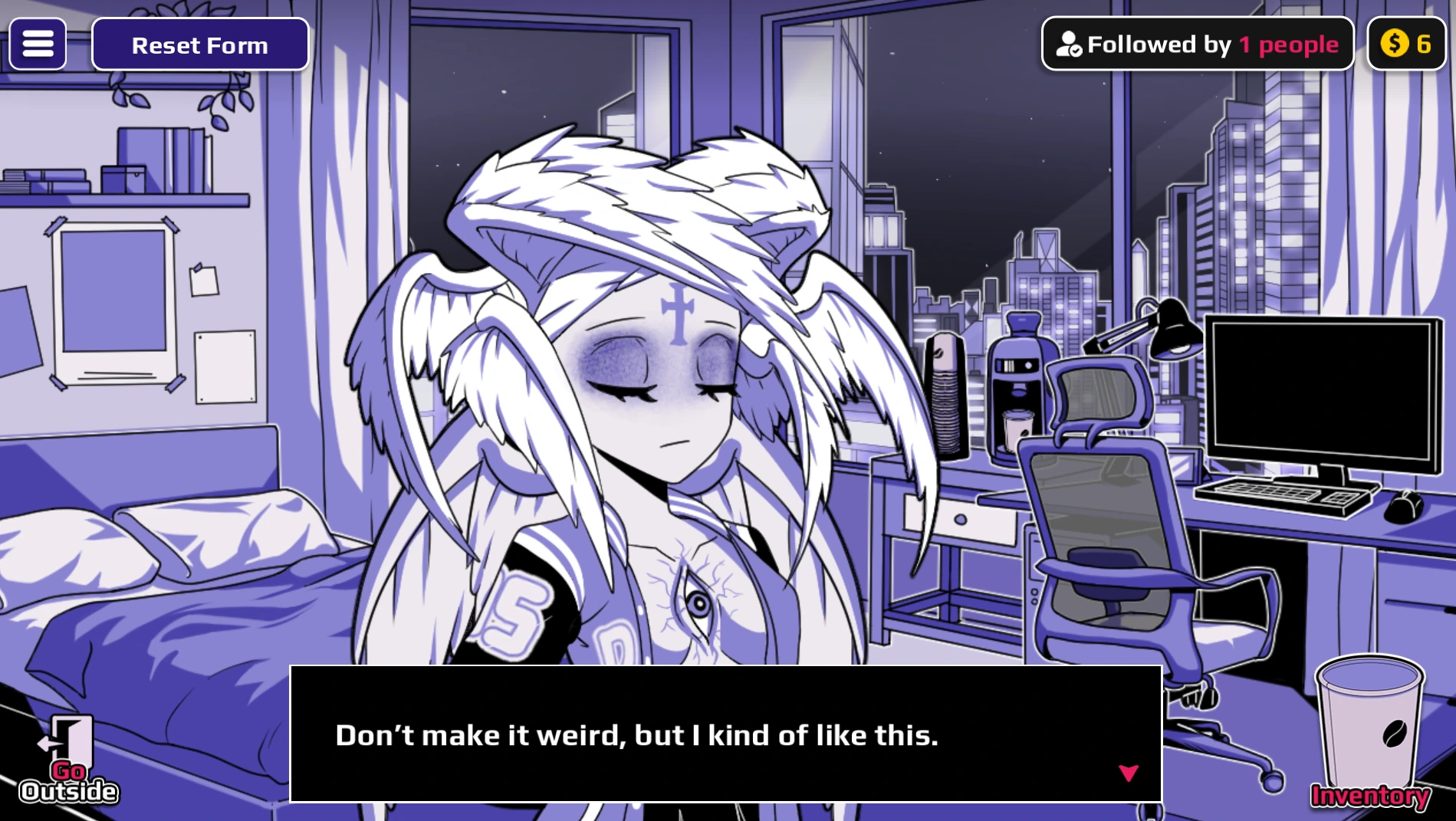
heaven cup leads to the winged Horu shown here. Keep a separate unused Heaven cup if you intend to make a Mixer recipe.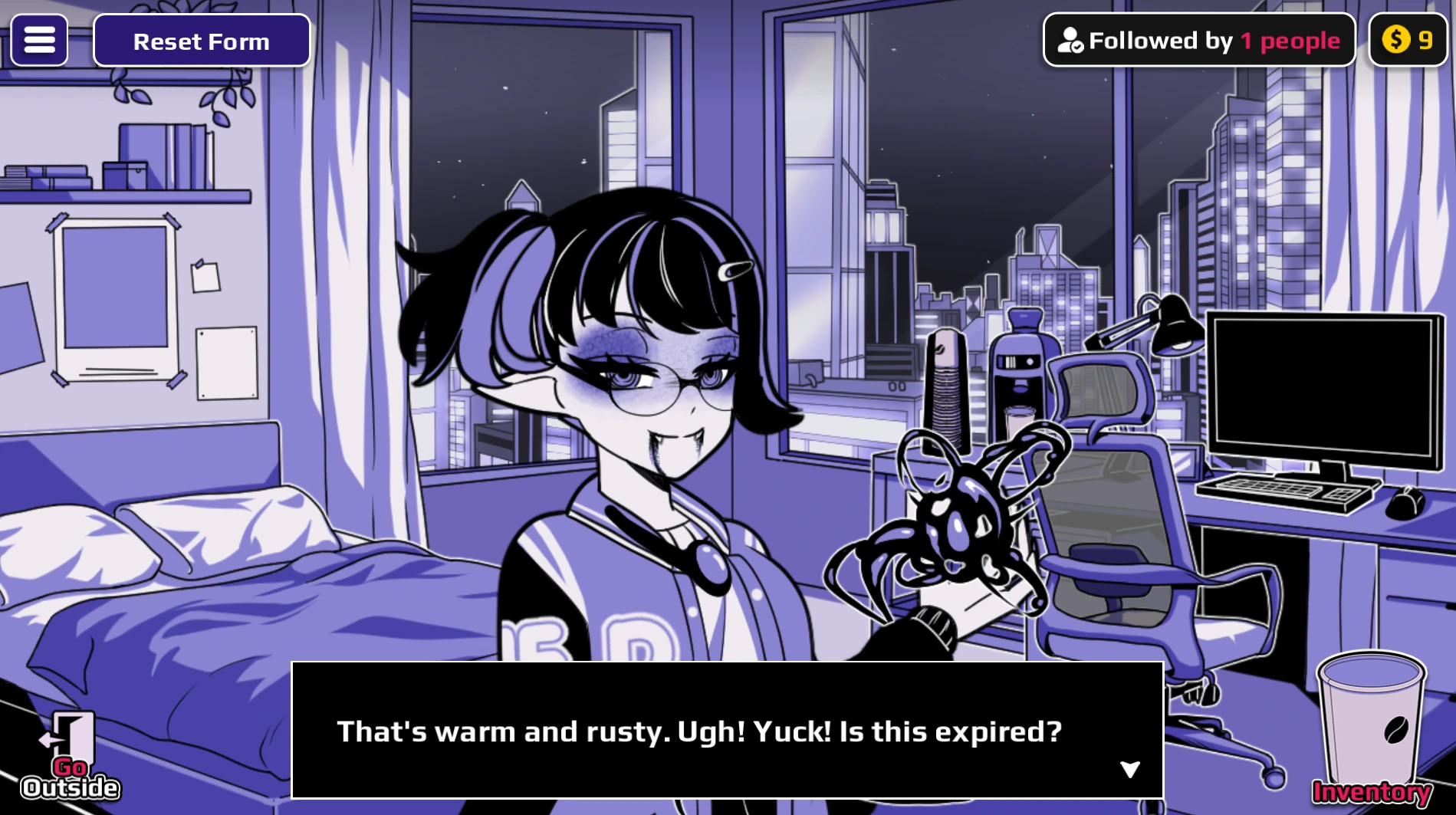
blood cup on the intended character. The fangs identify the displayed Vampire state; the receiver matters for later routes.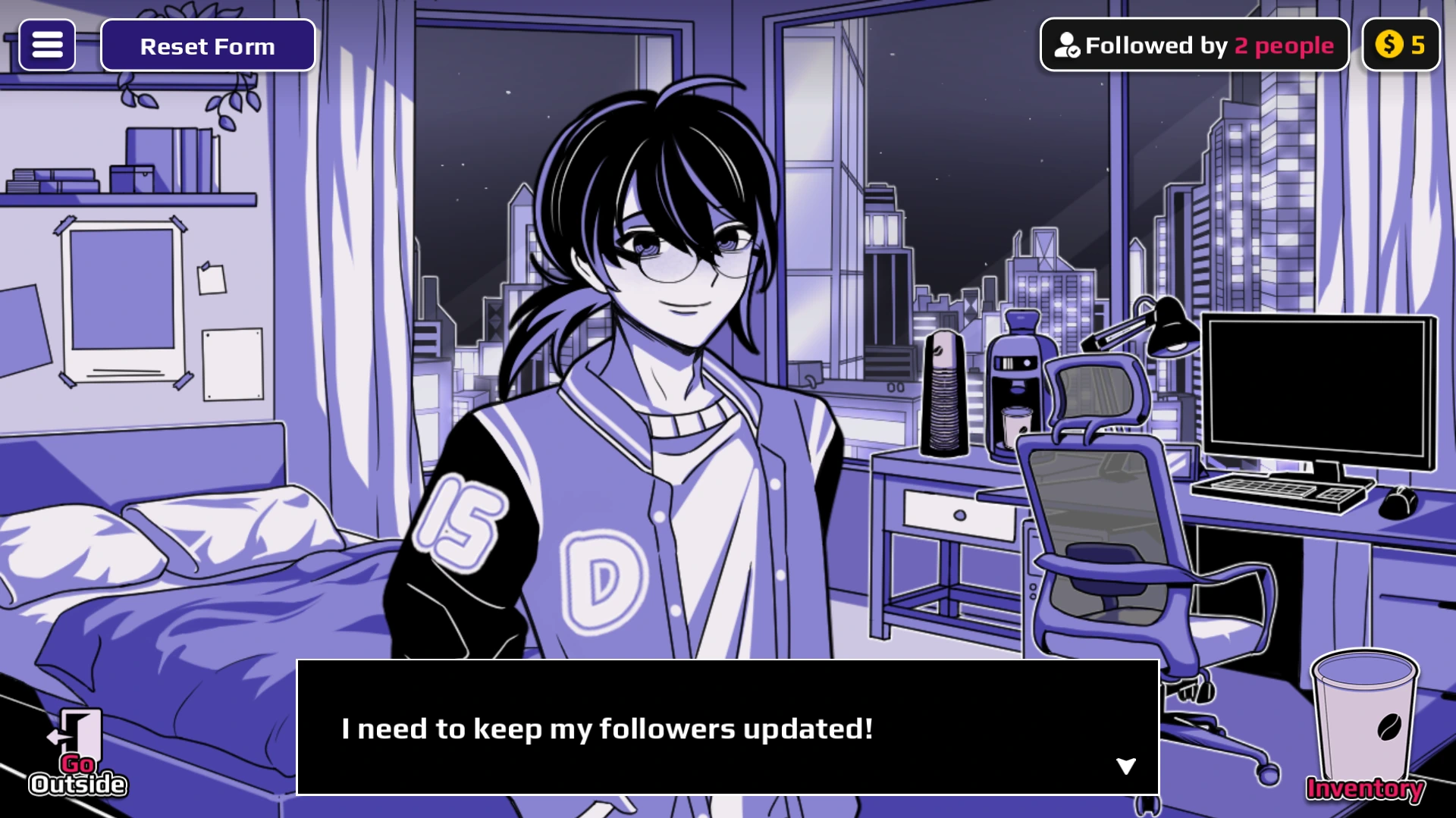
gender; the visible Horu result is labeled Male in the transformation reference. Search by either term to find the route.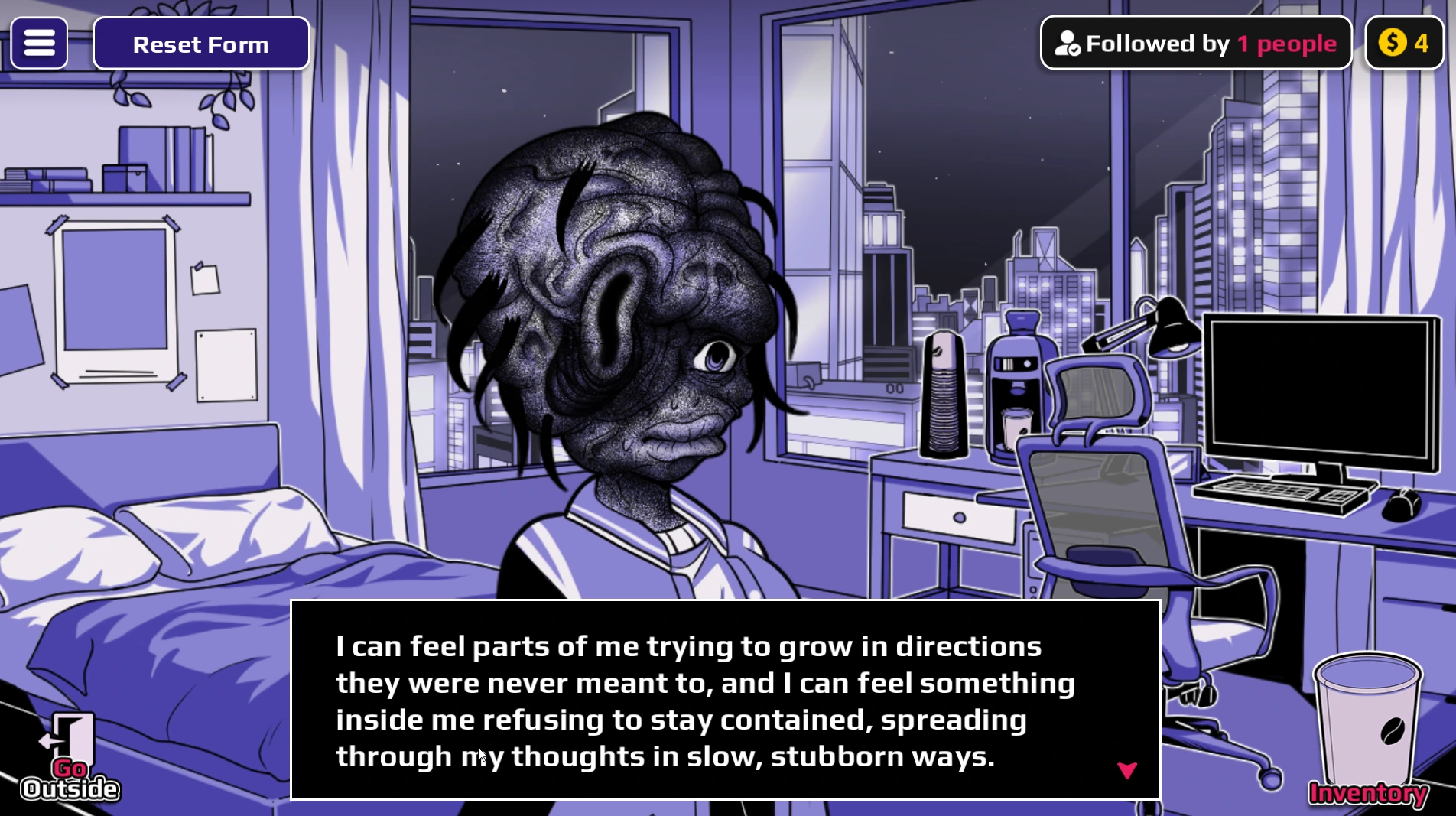
cancer result is body horror. If you are browsing for a harmless first experiment, choose Water or another mild-looking form instead.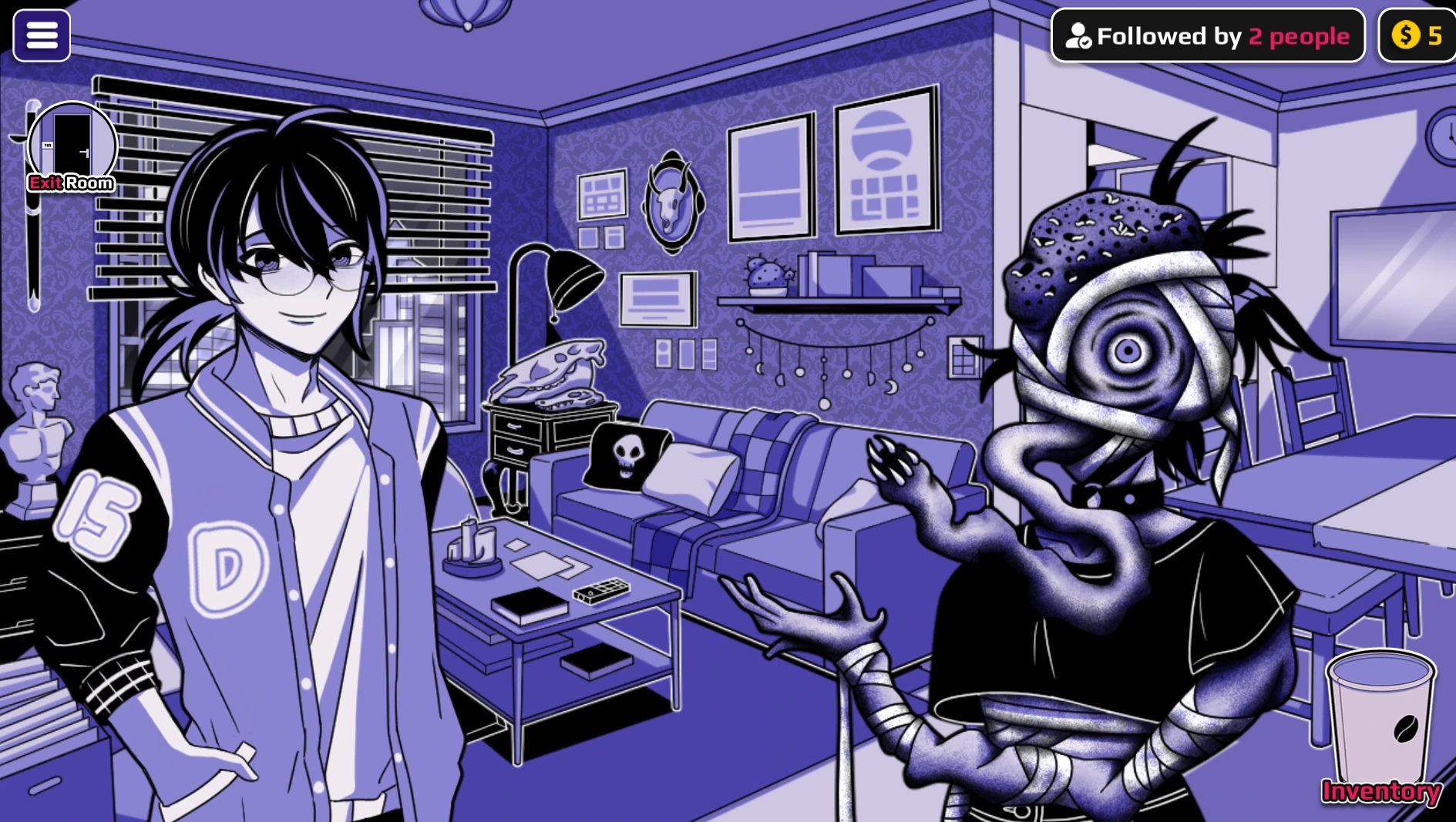
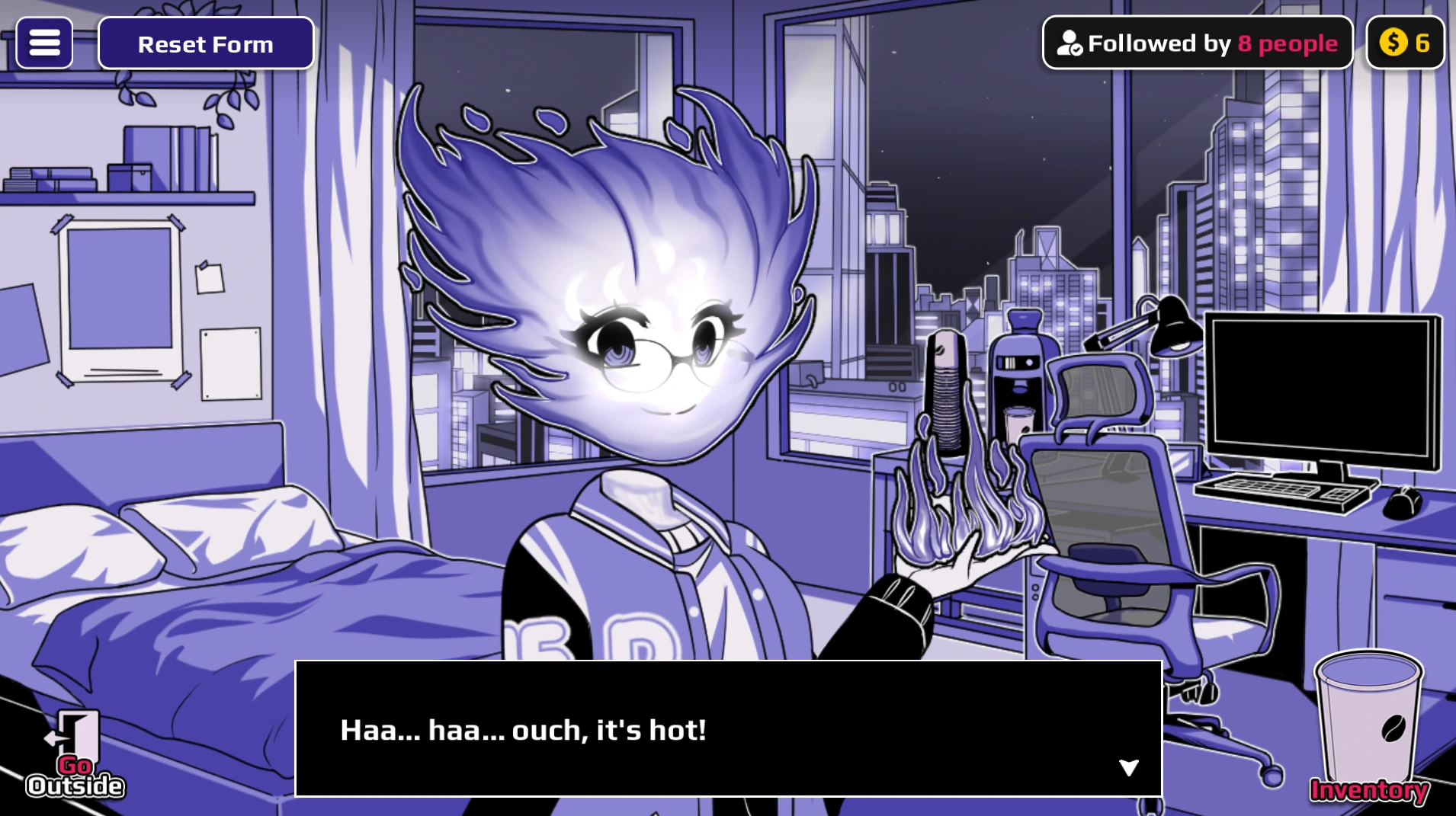
fire cup gives a visible Fire state here. Fire also appears as an ingredient in recipes; preserve an unused cup for the Mixer.How to read these images: a screenshot of a form proves the displayed character state in that capture. It does not establish a hidden route, gallery unlock, or adult scene. This guide keeps inputs, recipes, and scene triggers separate.
Choose a word by the job you want done
| PLAYER GOAL | START HERE | BEFORE USING THE CUP |
|---|---|---|
| Return to a known baseline | Search cure. | Choose the character whose current form should be reset. The other character is a separate target. |
| See a direct transformation | Try water, fire, heaven, or hell. | Collect the cup, then use it on Horu or the Neighbor. Inspect that character, not just the Inventory label. |
| Build a two-cup result | Search the desired form, then read both ingredients. | Brew and collect two unused cups. A plus sign means Mixer; consuming either ingredient first leaves you short one cup. |
| Follow an ordered route | Look for an arrow between inputs. | Give every cup to the same character in displayed order. An arrow is not a Mixer instruction. |
| Investigate a possible scene | Use the scene route guide after selecting a documented setup. | A form word alone is not a scene trigger. Check the form receiver and separate final cup. |
For a controlled comparison, write down the word you typed, who received the cup, and whether the result was a direct form, Mixer output, or ordered sequence. Then use cure before testing a different form on that same character. This prevents a previous state from being mistaken for the effect of a new word.
When a search shows an ingredient, do not use its cup merely to see what happens if the goal is a compound form. Keep it in Inventory, make the second ingredient, and open the Mixer. The recipe reference lists the paired inputs; the form finder shows which named result each route is intended to produce.
Use the right workflow
| TYPE | WHAT TO DO |
|---|---|
| Direct form | Create one cup and use it on Horu or give it to the Neighbor. |
| Mixer ingredient | Keep both cups untouched and place them in Horu's room Mixer. |
| Exact-order sequence | Give each cup to the same character in order. Do not mix them. |
| Event / trigger | Confirm character state first; these can behave differently from forms. |
Use the first cup route, the Shop guide, or test a word now.